> ## Documentation Index
> Fetch the complete documentation index at: https://help.ples.com/llms.txt
> Use this file to discover all available pages before exploring further.
# How to add a domain
> Add a domain you own so Ples can monitor backlinks that should point to it.
Add a domain before you add backlinks. The domain is the destination those links should point to — for example a site David owns.
 ## Steps
Go to **Domains** (`/domains`).
Use **Add domain** in the header, or the same button on the empty state.
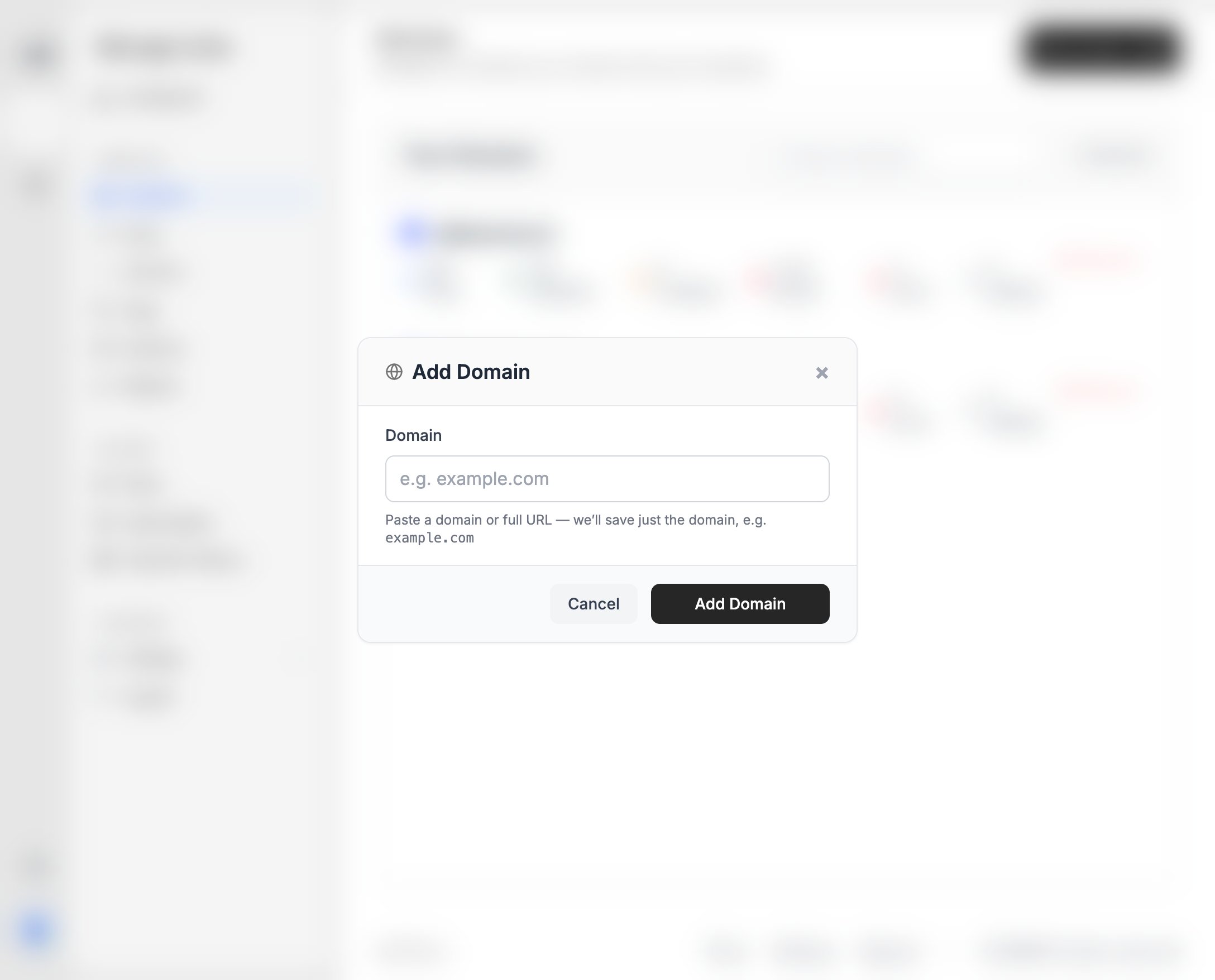
Paste a domain or a full URL. Ples saves just the domain, for example `example.com`.
Click **Add Domain**. The domain appears in **Your Domains** with dofollow, nofollow, not found, error, and waiting counts once you add links.
You can also add a domain from **Add links** (`/links-add`) with **Add Domain** next to the domain dropdown.
Domain count is limited by your plan. If Ples blocks the add, see [Plan limits](/article/plan-limits).
## After you add a domain
Add the pages that should link to it. Unused domains (no links yet) show an **Unused** label and an **Add Link** action.
## What's next?
Add up to 150 backlink URLs per submission after you choose a domain.
Open 12-month DR, DA, and PA charts for a monitored domain.
Remove a domain after its links are gone. Domains still in use cannot be deleted.
Domain, link, user, and AI caps on trial and paid plans.
## Steps
Go to **Domains** (`/domains`).
Use **Add domain** in the header, or the same button on the empty state.
Paste a domain or a full URL. Ples saves just the domain, for example `example.com`.
Click **Add Domain**. The domain appears in **Your Domains** with dofollow, nofollow, not found, error, and waiting counts once you add links.
You can also add a domain from **Add links** (`/links-add`) with **Add Domain** next to the domain dropdown.
Domain count is limited by your plan. If Ples blocks the add, see [Plan limits](/article/plan-limits).
## After you add a domain
Add the pages that should link to it. Unused domains (no links yet) show an **Unused** label and an **Add Link** action.
## What's next?
Add up to 150 backlink URLs per submission after you choose a domain.
Open 12-month DR, DA, and PA charts for a monitored domain.
Remove a domain after its links are gone. Domains still in use cannot be deleted.
Domain, link, user, and AI caps on trial and paid plans.