> ## Documentation Index
> Fetch the complete documentation index at: https://help.ples.com/llms.txt
> Use this file to discover all available pages before exploring further.
# Analyze your portfolio with AI
> Run Analyze Portfolio on Reports to get ChatGPT insights. Quota depends on your plan.
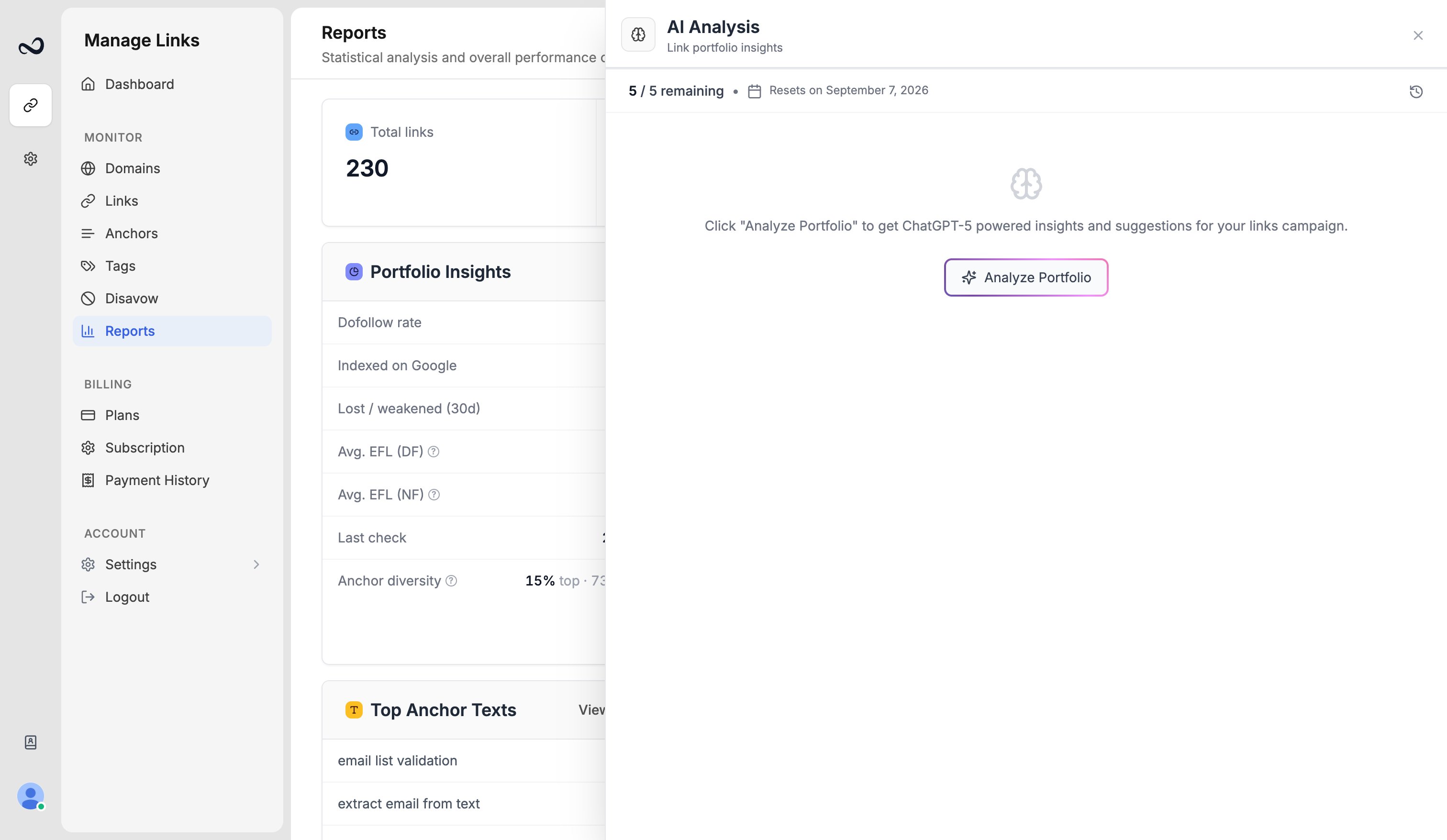
**Analyze Portfolio** sends your current Reports filters to ChatGPT and returns written insights and suggestions for the campaign.
 ## Monthly quota
Each analysis uses one slot. Unused slots do not roll over.
| Plan | Analyses per month |
| ---------- | ------------------ |
| Trial | 1 |
| Basic | 5 |
| Pro | 10 |
| Business | 15 |
| Enterprise | 25 |
You can see remaining quota on [Account](/article/account-settings) and on Reports before you run an analysis.
## Steps
Go to [app.ples.com/reports](https://app.ples.com/reports). You need **Reports** view permission.
Limit the set by domain, status, tag, contact, or other filters. The analysis uses whatever is on the page.
Wait for ChatGPT to finish. The result stays on Reports so you can read it with the charts.
If you have no remaining analyses this month, Ples blocks the button. [Upgrade](/article/upgrade-or-downgrade) or wait until the next monthly reset. See [You hit a plan limit](/article/hit-plan-limit).
## What you get
The write-up comments on the filtered portfolio — health, quality, issues, and practical next steps. It does not change links, tags, or your disavow list. You still decide what to edit.
Ples has no public API. AI analysis only runs from the Reports button in the app.
## What's next?
See portfolio health, average LQS, indexing, tags, and disavow candidates.
Interpret link health, average LQS, authority charts, and indexing on Reports.
Domain, link, user, and AI caps on trial and paid plans.
What to do when Ples blocks a new domain, link, teammate, or AI analysis.
## Monthly quota
Each analysis uses one slot. Unused slots do not roll over.
| Plan | Analyses per month |
| ---------- | ------------------ |
| Trial | 1 |
| Basic | 5 |
| Pro | 10 |
| Business | 15 |
| Enterprise | 25 |
You can see remaining quota on [Account](/article/account-settings) and on Reports before you run an analysis.
## Steps
Go to [app.ples.com/reports](https://app.ples.com/reports). You need **Reports** view permission.
Limit the set by domain, status, tag, contact, or other filters. The analysis uses whatever is on the page.
Wait for ChatGPT to finish. The result stays on Reports so you can read it with the charts.
If you have no remaining analyses this month, Ples blocks the button. [Upgrade](/article/upgrade-or-downgrade) or wait until the next monthly reset. See [You hit a plan limit](/article/hit-plan-limit).
## What you get
The write-up comments on the filtered portfolio — health, quality, issues, and practical next steps. It does not change links, tags, or your disavow list. You still decide what to edit.
Ples has no public API. AI analysis only runs from the Reports button in the app.
## What's next?
See portfolio health, average LQS, indexing, tags, and disavow candidates.
Interpret link health, average LQS, authority charts, and indexing on Reports.
Domain, link, user, and AI caps on trial and paid plans.
What to do when Ples blocks a new domain, link, teammate, or AI analysis.