> ## Documentation Index
> Fetch the complete documentation index at: https://help.ples.com/llms.txt
> Use this file to discover all available pages before exploring further.
# Backlink Finder
> Review backlinks Ples finds for your domains, then add them to monitoring, ignore them, or disavow them.
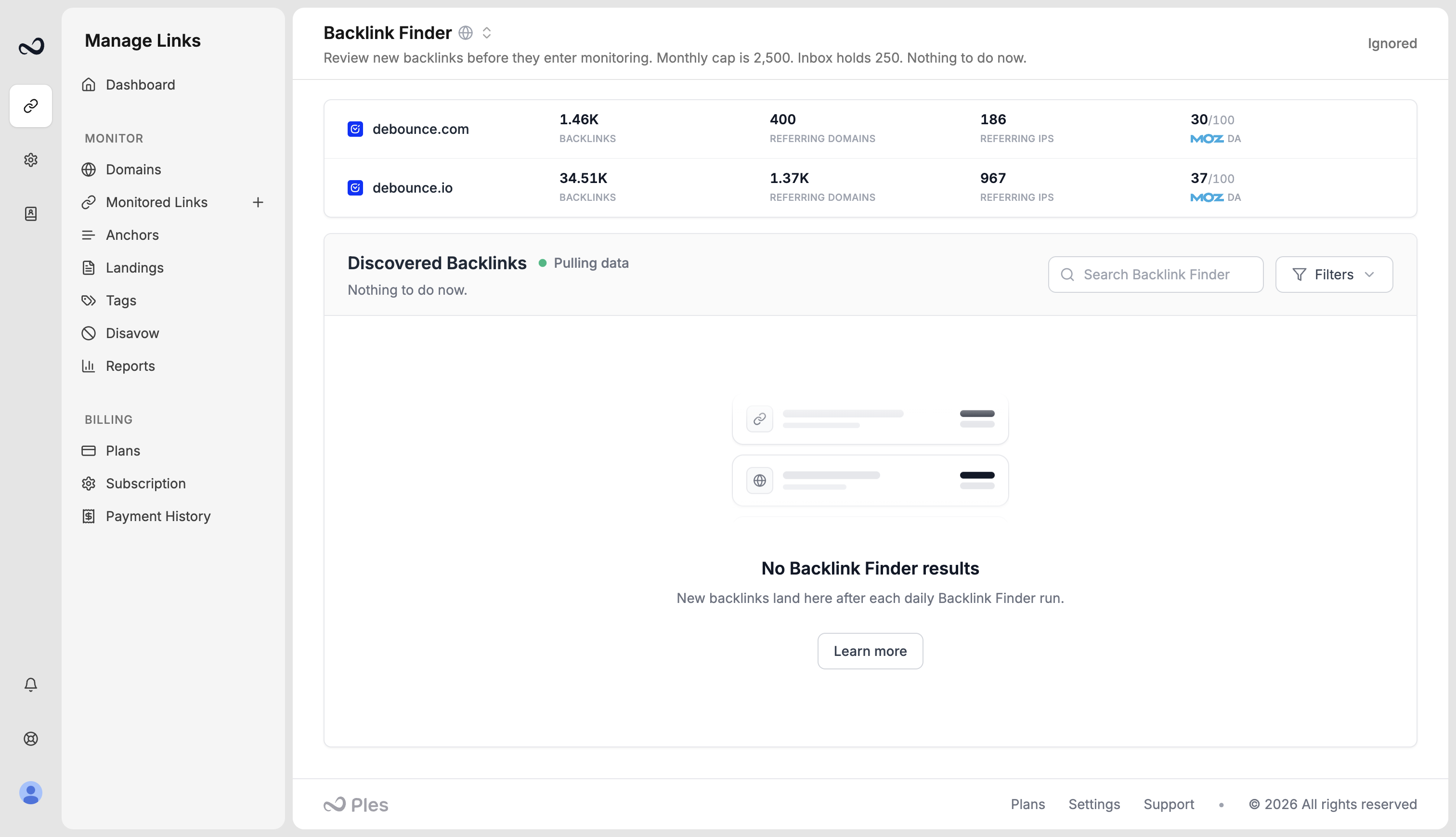
**Backlink Finder** is how Ples **detects current backlinks** pointing at domains you already monitor. It is the automatic source of links. The other source is [pasting URLs yourself](/article/add-backlinks).
Finder results stay in this **inbox** until you add them. They are not monitored, crawled, or scored for [LQS](/article/what-is-lqs) until you add them.
Open **Backlink Finder** from **Monitored Links**: click **+**, then **Backlink Finder**, or go to [`https://app.ples.com/discover`](https://app.ples.com/discover). A number next to the item is how many rows are waiting. You need **Backlink Finder** view permission (separate from Monitored Links). Adding, ignoring, or disavowing a row needs edit permission.
 ## How pulls work
Ples makes **one Backlink Finder request per domain per day**. Each request starts with the **newest** backlinks, then older history, and stops when your **inbox** is full or your **monthly find allowance** is used.
* URLs you already monitor, ignored, or disavowed do not appear again.
* New finds count against the **monthly** allowance for the current billing period.
* Waiting rows count against **inbox capacity** (one-tenth of the monthly allowance on paid plans; on trial, inbox equals the 20 monthly finds).
* When the inbox is full, pulls **pause** until you add, ignore, or disavow waiting links.
* When the monthly allowance is used, pulls resume after you [upgrade](/article/upgrade-or-downgrade) or when the next billing period starts. See the next reset on [Subscription](/article/subscription-and-renewal).
Adding a URL from Backlink Finder uses an **active link** slot and a **monthly add**, the same as [adding backlinks](/article/add-backlinks) yourself. That is separate from the Finder monthly allowance and inbox cap.
After you **Add** a URL, it moves to **Monitored Links**. Ples then **crawls** it about every **24 hours** and **evaluates the quality** of the backlink. You can check status, add a **note** or **tag**, or **disavow** it.
## Monthly allowance and inbox
These two caps are separate from active monitored links.
| Plan | New finds / billing period | Inbox (waiting rows) |
| - | - | - |
| Trial | 20 | 20 |
| Basic | 1,000 | 100 |
| Pro | 2,500 | 250 |
| Business | 6,000 | 600 |
| Enterprise | 13,000 | 1,300 |
Inbox size is **1/10** of the monthly find allowance on paid plans. On **trial**, inbox equals the **20** monthly finds. Adding, ignoring, or disavowing a waiting row frees an inbox slot so the next daily pull can fill it again — until the monthly allowance is used.
See [Plan limits](/article/plan-limits) for the full table.
## What each row shows
| Column | Meaning |
| - | - |
| **Link URL** | The page that contains the backlink |
| **Domain** | The destination you monitor (hidden if you already filtered to one domain) |
| **Anchor** | Live anchor text, or *No anchor* |
| **Score** | Referring-domain strength, 0 to 100. Higher means a stronger backlink profile. This is not a Google search ranking, and it is not [LQS](/article/what-is-lqs). Click **Score** to sort. |
| **First seen** | When Backlink Finder first found the link. Click **First seen** to sort. Newest is the default. |
| **Status** | Dofollow or nofollow from the discovery source — not a Ples crawl yet |
## Steps
Go to [app.ples.com/discover](https://app.ples.com/discover), or open **Monitored Links**, click **+**, then **Backlink Finder**. Use search or **Filters** to limit the inbox to one domain.
Open the referring page and confirm you want Ples to monitor it. Skip anything you do not own or do not want on **Monitored Links**. Sort by **Score** if you want stronger referring domains first.
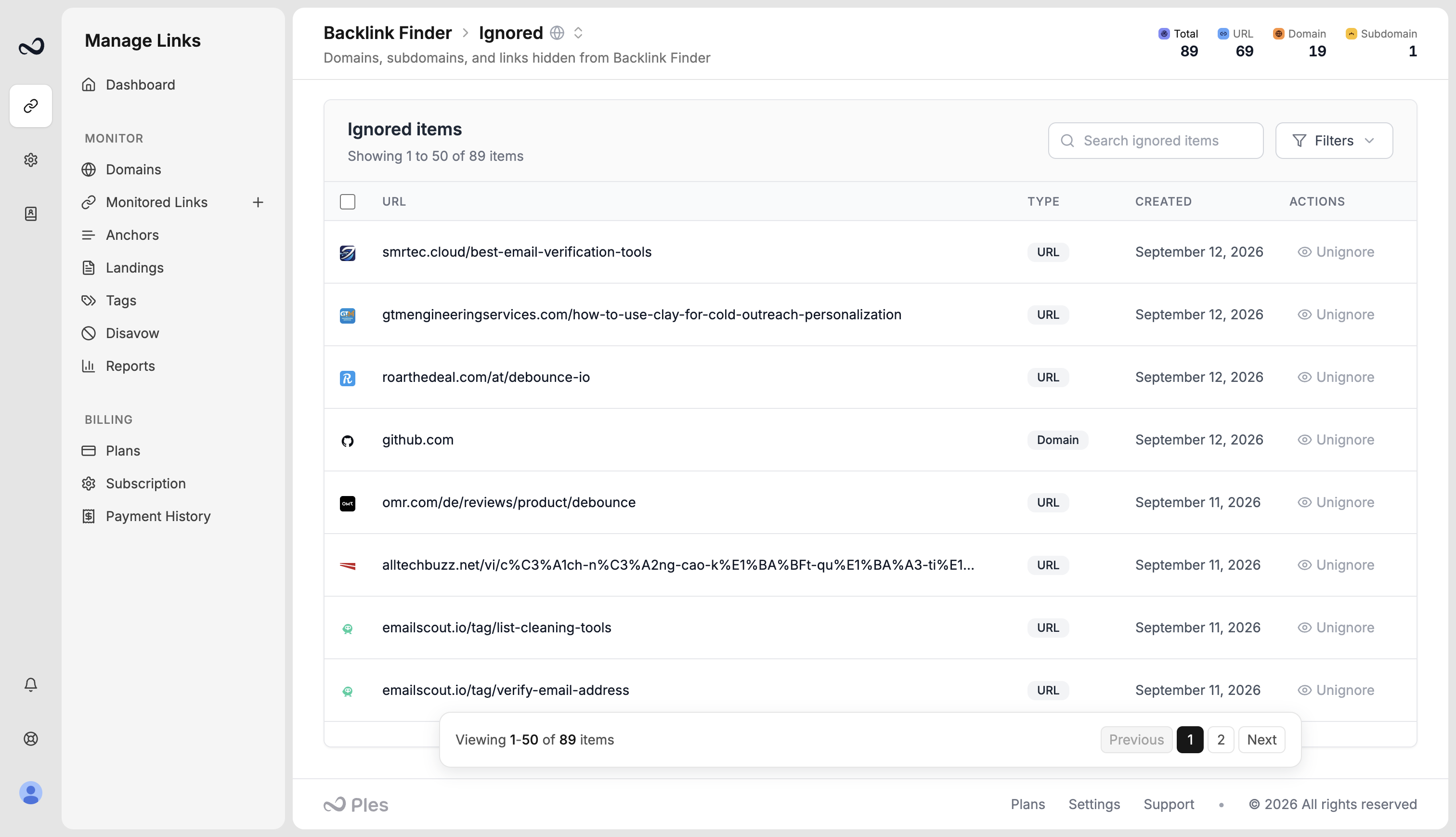
**Add** moves the URL into [Monitored Links](/article/links-table). You can assign [tags](/article/tags) in the modal. **Ignore** removes it from the inbox and it will not come back. **Disavow** can target the **domain**, **subdomain**, or **URL** on your [disavow list](/article/disavow-list); disavowing a domain or subdomain also ignores other finds from that host.
Select several rows, then use bulk **Add to Monitor**, **Ignore**, or **Disavow**, to clear a batch at once.
Open **Ignored** (`/discover/ignored`) to see ignore rules for a URL, domain, or subdomain. Remove a rule if you want Finder to show that host again.
After you add a row it shows as **Waiting** on **Monitored Links** until the first 24-hour check. Finder status (dofollow or nofollow) is only a hint until Ples crawls the URL and evaluates its quality.
## Empty inbox and status messages
| Message | What it means |
| - | - |
| **We are pulling data** / **First pull in progress** | The first request is still running or queued. Come back in about 24 hours. Ples makes one request per domain per day, newest links first. |
| **Inbox full** | Waiting rows are at inbox capacity. Add, ignore, or disavow some before new finds can land. |
| **Monthly limit reached** | This period’s find allowance is used. Pulls resume after you upgrade, or when the next billing period starts. Waiting rows stay until you process them. |
| **No new backlinks waiting** / **No Backlink Finder results** | Nothing is waiting. Check again after the next daily pull. |
| **No matching results** | Search or filters hid every row. Clear filters to see the full inbox. |
| **Backlink Finder is turned off** | Automatic suggestions are disabled for this workspace. [Contact Ples](/article/contact-ples) if you expected them. |
## What's next?
Paste up to 150 URLs yourself when you already know the pages.
After you add a URL from Backlink Finder, review status, LQS, notes, tags, and last checked here.
Mark toxic referring domains or URLs and export a file for Google Search Console.
Active slots, monthly adds, Finder monthly allowance, and inbox capacity.
This documentation is built and hosted on [Mintlify](https://mintlify.com), a developer documentation platform.
## How pulls work
Ples makes **one Backlink Finder request per domain per day**. Each request starts with the **newest** backlinks, then older history, and stops when your **inbox** is full or your **monthly find allowance** is used.
* URLs you already monitor, ignored, or disavowed do not appear again.
* New finds count against the **monthly** allowance for the current billing period.
* Waiting rows count against **inbox capacity** (one-tenth of the monthly allowance on paid plans; on trial, inbox equals the 20 monthly finds).
* When the inbox is full, pulls **pause** until you add, ignore, or disavow waiting links.
* When the monthly allowance is used, pulls resume after you [upgrade](/article/upgrade-or-downgrade) or when the next billing period starts. See the next reset on [Subscription](/article/subscription-and-renewal).
Adding a URL from Backlink Finder uses an **active link** slot and a **monthly add**, the same as [adding backlinks](/article/add-backlinks) yourself. That is separate from the Finder monthly allowance and inbox cap.
After you **Add** a URL, it moves to **Monitored Links**. Ples then **crawls** it about every **24 hours** and **evaluates the quality** of the backlink. You can check status, add a **note** or **tag**, or **disavow** it.
## Monthly allowance and inbox
These two caps are separate from active monitored links.
| Plan | New finds / billing period | Inbox (waiting rows) |
| - | - | - |
| Trial | 20 | 20 |
| Basic | 1,000 | 100 |
| Pro | 2,500 | 250 |
| Business | 6,000 | 600 |
| Enterprise | 13,000 | 1,300 |
Inbox size is **1/10** of the monthly find allowance on paid plans. On **trial**, inbox equals the **20** monthly finds. Adding, ignoring, or disavowing a waiting row frees an inbox slot so the next daily pull can fill it again — until the monthly allowance is used.
See [Plan limits](/article/plan-limits) for the full table.
## What each row shows
| Column | Meaning |
| - | - |
| **Link URL** | The page that contains the backlink |
| **Domain** | The destination you monitor (hidden if you already filtered to one domain) |
| **Anchor** | Live anchor text, or *No anchor* |
| **Score** | Referring-domain strength, 0 to 100. Higher means a stronger backlink profile. This is not a Google search ranking, and it is not [LQS](/article/what-is-lqs). Click **Score** to sort. |
| **First seen** | When Backlink Finder first found the link. Click **First seen** to sort. Newest is the default. |
| **Status** | Dofollow or nofollow from the discovery source — not a Ples crawl yet |
## Steps
Go to [app.ples.com/discover](https://app.ples.com/discover), or open **Monitored Links**, click **+**, then **Backlink Finder**. Use search or **Filters** to limit the inbox to one domain.
Open the referring page and confirm you want Ples to monitor it. Skip anything you do not own or do not want on **Monitored Links**. Sort by **Score** if you want stronger referring domains first.
**Add** moves the URL into [Monitored Links](/article/links-table). You can assign [tags](/article/tags) in the modal. **Ignore** removes it from the inbox and it will not come back. **Disavow** can target the **domain**, **subdomain**, or **URL** on your [disavow list](/article/disavow-list); disavowing a domain or subdomain also ignores other finds from that host.
Select several rows, then use bulk **Add to Monitor**, **Ignore**, or **Disavow**, to clear a batch at once.
Open **Ignored** (`/discover/ignored`) to see ignore rules for a URL, domain, or subdomain. Remove a rule if you want Finder to show that host again.

After you add a row it shows as **Waiting** on **Monitored Links** until the first 24-hour check. Finder status (dofollow or nofollow) is only a hint until Ples crawls the URL and evaluates its quality.
## Empty inbox and status messages
| Message | What it means |
| - | - |
| **We are pulling data** / **First pull in progress** | The first request is still running or queued. Come back in about 24 hours. Ples makes one request per domain per day, newest links first. |
| **Inbox full** | Waiting rows are at inbox capacity. Add, ignore, or disavow some before new finds can land. |
| **Monthly limit reached** | This period’s find allowance is used. Pulls resume after you upgrade, or when the next billing period starts. Waiting rows stay until you process them. |
| **No new backlinks waiting** / **No Backlink Finder results** | Nothing is waiting. Check again after the next daily pull. |
| **No matching results** | Search or filters hid every row. Clear filters to see the full inbox. |
| **Backlink Finder is turned off** | Automatic suggestions are disabled for this workspace. [Contact Ples](/article/contact-ples) if you expected them. |
## What's next?
Paste up to 150 URLs yourself when you already know the pages.
After you add a URL from Backlink Finder, review status, LQS, notes, tags, and last checked here.
Mark toxic referring domains or URLs and export a file for Google Search Console.
Active slots, monthly adds, Finder monthly allowance, and inbox capacity.
This documentation is built and hosted on [Mintlify](https://mintlify.com), a developer documentation platform.