> ## Documentation Index
> Fetch the complete documentation index at: https://help.ples.com/llms.txt
> Use this file to discover all available pages before exploring further.
# How to use bulk actions
> Select links in the table to add tags, edit contacts, add or remove disavow entries, or delete rows.
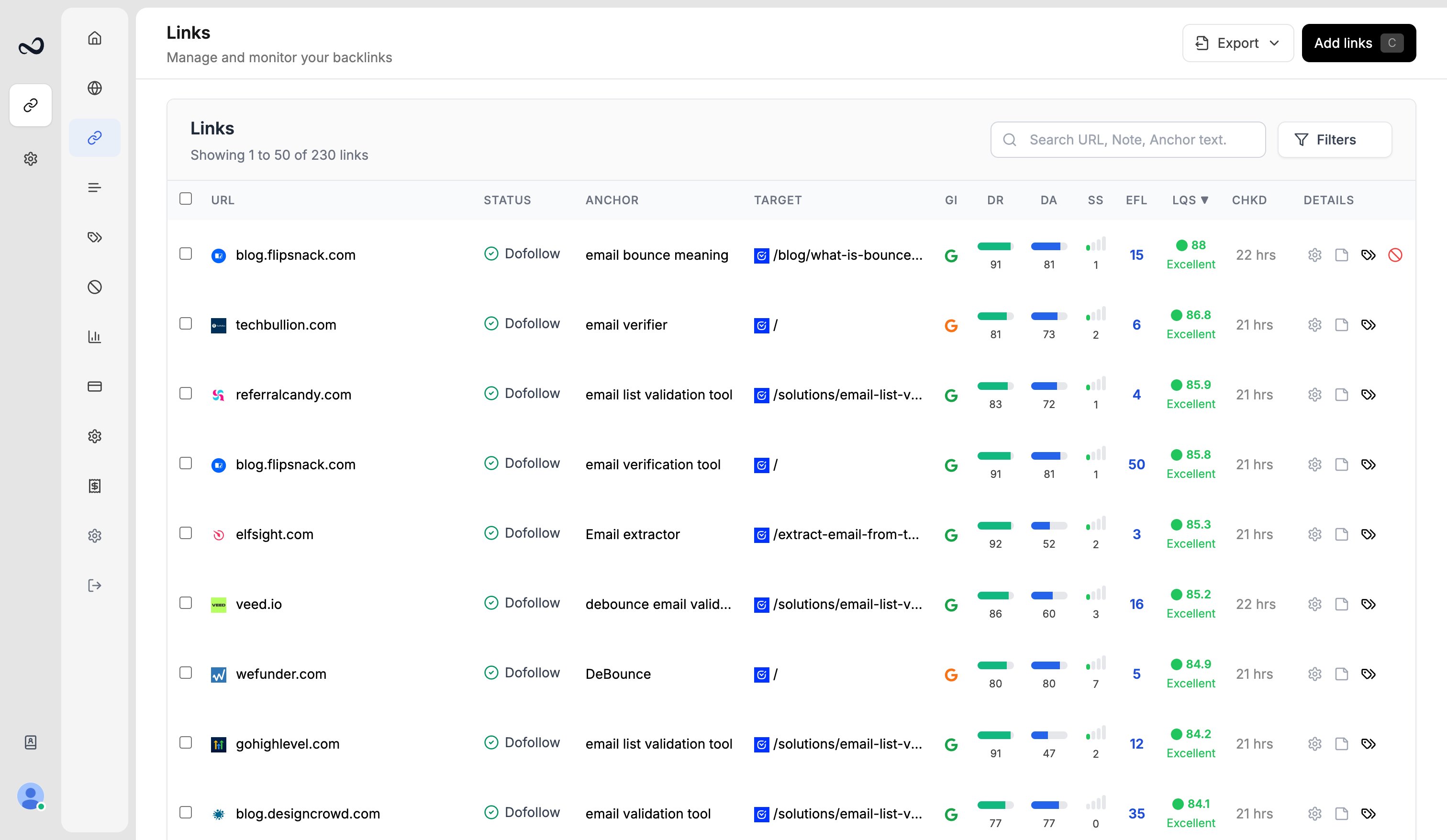
On **Links** (`/links`), select one or more rows to run the same action on all of them.
 ## Steps
Check the boxes on the left, or use the header checkbox to select the visible page.
The **Selected** button appears. Open it.
Available actions (depending on your permissions):
* **Add Tags** — assign tags (still max 5 per link)
* **Edit Contact** — assign contacts to the selected links
* **Disavow** — add as domain, subdomain, or URL, or **Remove** from the disavow list
* **Delete** — remove the links from monitoring (frees active slots; does not reset monthly add quota)
Complete the modal and save. Destructive actions ask you to confirm.
Delete cannot be undone. Export first if you still need a copy of those URLs.
## What's next?
Read URL, status, anchor, GI, DR, DA, LQS, last checked, and more.
Create colored tags and assign up to 5 per link.
Save a name and email, then assign the contact to the links they placed.
Review error, not found, and nofollow links on the Issues page.
## Steps
Check the boxes on the left, or use the header checkbox to select the visible page.
The **Selected** button appears. Open it.
Available actions (depending on your permissions):
* **Add Tags** — assign tags (still max 5 per link)
* **Edit Contact** — assign contacts to the selected links
* **Disavow** — add as domain, subdomain, or URL, or **Remove** from the disavow list
* **Delete** — remove the links from monitoring (frees active slots; does not reset monthly add quota)
Complete the modal and save. Destructive actions ask you to confirm.
Delete cannot be undone. Export first if you still need a copy of those URLs.
## What's next?
Read URL, status, anchor, GI, DR, DA, LQS, last checked, and more.
Create colored tags and assign up to 5 per link.
Save a name and email, then assign the contact to the links they placed.
Review error, not found, and nofollow links on the Issues page.