> ## Documentation Index
> Fetch the complete documentation index at: https://help.ples.com/llms.txt
> Use this file to discover all available pages before exploring further.
# How to use contacts
> Save a name, email, phone, and business, then assign the contact to the links they placed.
Contacts store the people behind your placements. Fields are name, email, phone, and business. Assign a contact to one or more links so you can filter and search by them later.
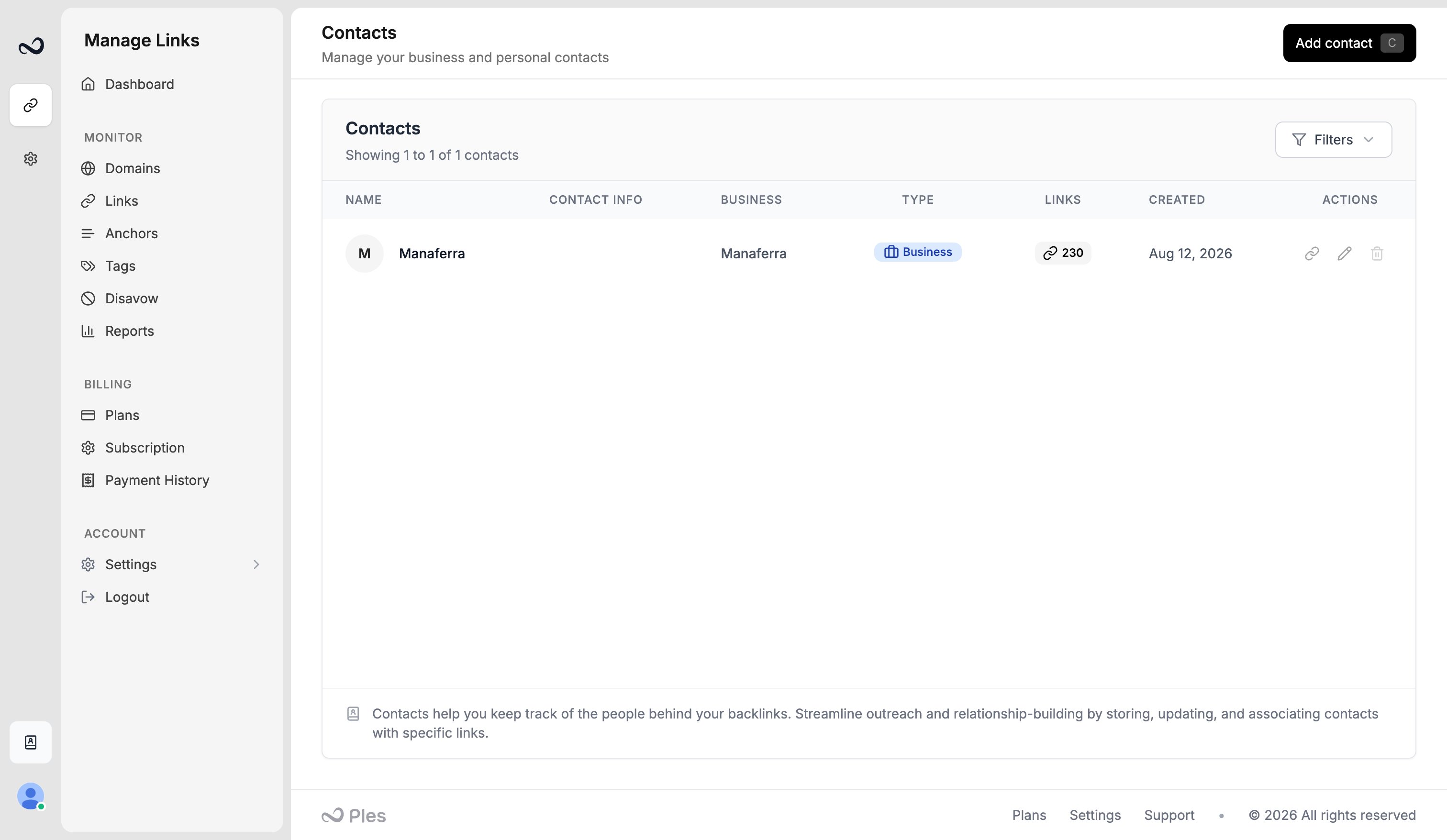 ## Add a contact
Go to `/contacts`.
Use **Add contact** in the header.
Enter first name (required), last name, email, phone, and contact type (**Personal** or **Business**). For business contacts, add a business name. Example: David at a publisher David works with.
Save the contact. It appears in the list with how many links are assigned.
## Assign contacts to links
On `/links-add`, pick contacts in the Contacts step.
Select rows on `/links` and use bulk **Edit Contact**, or open [link details](/article/link-details) and manage contacts there.
Filter Links by contact, or find a contact from [header search](/article/filter-sort-search).
## What's next?
Create colored tags and assign up to 5 per link.
Add up to 150 backlink URLs per submission after you choose a domain.
Select links to add tags, edit contacts, update disavow, or delete rows.
Open a link for status, metrics, target URL, last check, and the visualizer.
## Add a contact
Go to `/contacts`.
Use **Add contact** in the header.
Enter first name (required), last name, email, phone, and contact type (**Personal** or **Business**). For business contacts, add a business name. Example: David at a publisher David works with.
Save the contact. It appears in the list with how many links are assigned.
## Assign contacts to links
On `/links-add`, pick contacts in the Contacts step.
Select rows on `/links` and use bulk **Edit Contact**, or open [link details](/article/link-details) and manage contacts there.
Filter Links by contact, or find a contact from [header search](/article/filter-sort-search).
## What's next?
Create colored tags and assign up to 5 per link.
Add up to 150 backlink URLs per submission after you choose a domain.
Select links to add tags, edit contacts, update disavow, or delete rows.
Open a link for status, metrics, target URL, last check, and the visualizer.