> ## Documentation Index
> Fetch the complete documentation index at: https://help.ples.com/llms.txt
> Use this file to discover all available pages before exploring further.
# How to create an account
> Sign up for Ples with your email, start a 7-day trial, and confirm your inbox.
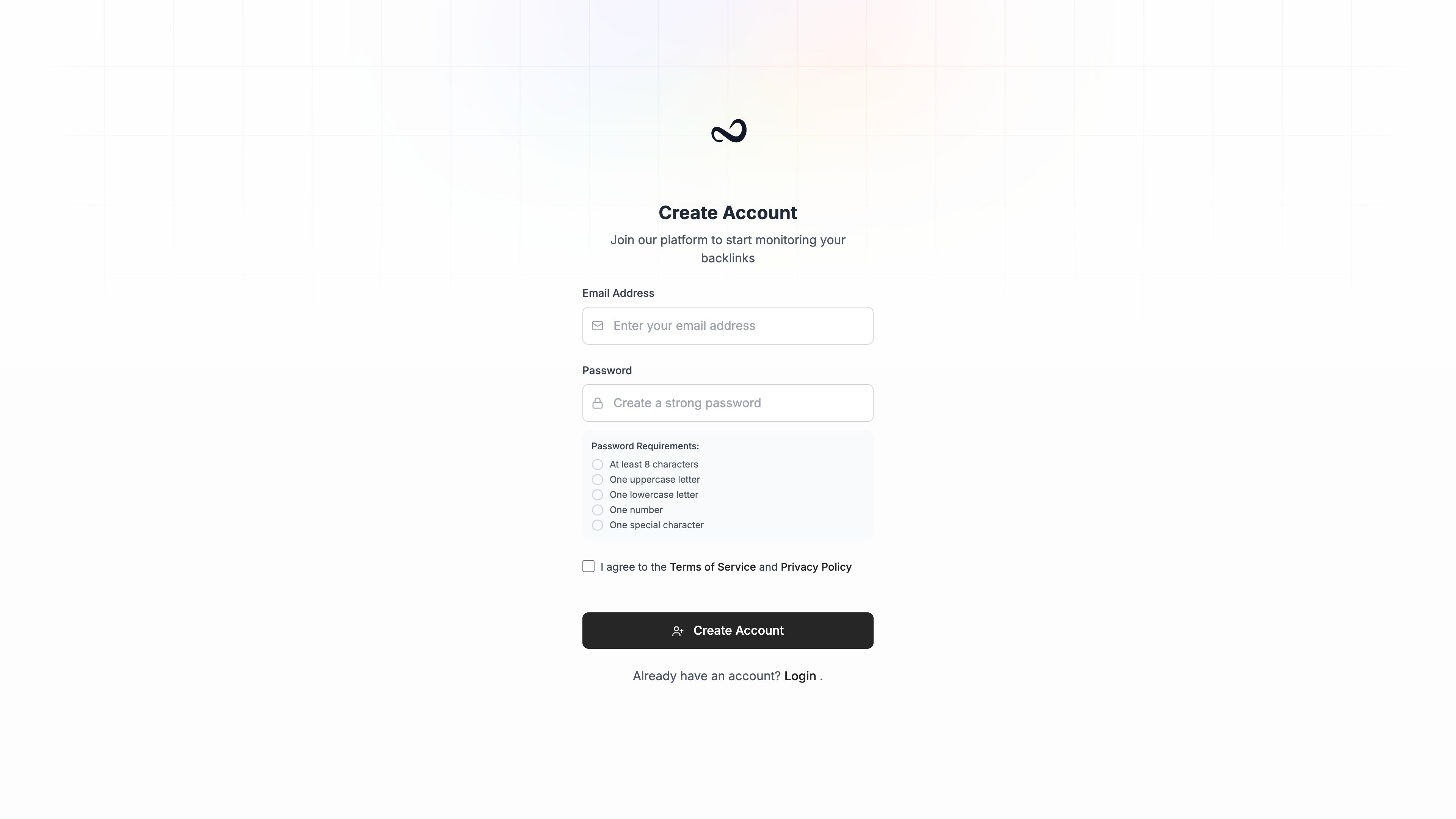
Create a Ples account from the sign-up page. New accounts start a **7-day trial** with 1 domain and 20 links so you can try monitoring before you pick a plan.
 ## Steps
Go to [app.ples.com/signup](https://app.ples.com/signup), or click **Register** on the login page.
Use an address you can access. Ples validates the address before creating the account.
Follow the on-page **Password Requirements** until every check passes.
Check **I agree to the Terms of Service and Privacy Policy**.
Click **Create Account**. You land on a confirmation screen while Ples emails you a verification link.
If someone invited you to a team, open the invite link instead. That flow pre-fills your email, skips confirmation, and joins you to the team with the role they assigned.
## After you sign up
Confirm your email, then [sign in](/article/sign-in) and [add your first domain](/article/add-a-domain).
## What's next?
Open the confirmation message from Ples so you can sign in.
Sign in with your email and password. Complete 2FA if you turned it on.
Add a domain, paste your first backlinks, and see monitoring start.
Domain, link, user, and AI caps on trial and paid plans.
## Steps
Go to [app.ples.com/signup](https://app.ples.com/signup), or click **Register** on the login page.
Use an address you can access. Ples validates the address before creating the account.
Follow the on-page **Password Requirements** until every check passes.
Check **I agree to the Terms of Service and Privacy Policy**.
Click **Create Account**. You land on a confirmation screen while Ples emails you a verification link.
If someone invited you to a team, open the invite link instead. That flow pre-fills your email, skips confirmation, and joins you to the team with the role they assigned.
## After you sign up
Confirm your email, then [sign in](/article/sign-in) and [add your first domain](/article/add-a-domain).
## What's next?
Open the confirmation message from Ples so you can sign in.
Sign in with your email and password. Complete 2FA if you turned it on.
Add a domain, paste your first backlinks, and see monitoring start.
Domain, link, user, and AI caps on trial and paid plans.