> ## Documentation Index
> Fetch the complete documentation index at: https://help.ples.com/llms.txt
> Use this file to discover all available pages before exploring further.
# Disavow suggestions
> Review auto-suggestions for high spam score or weak LQS links, then add them to your disavow list if they belong there.
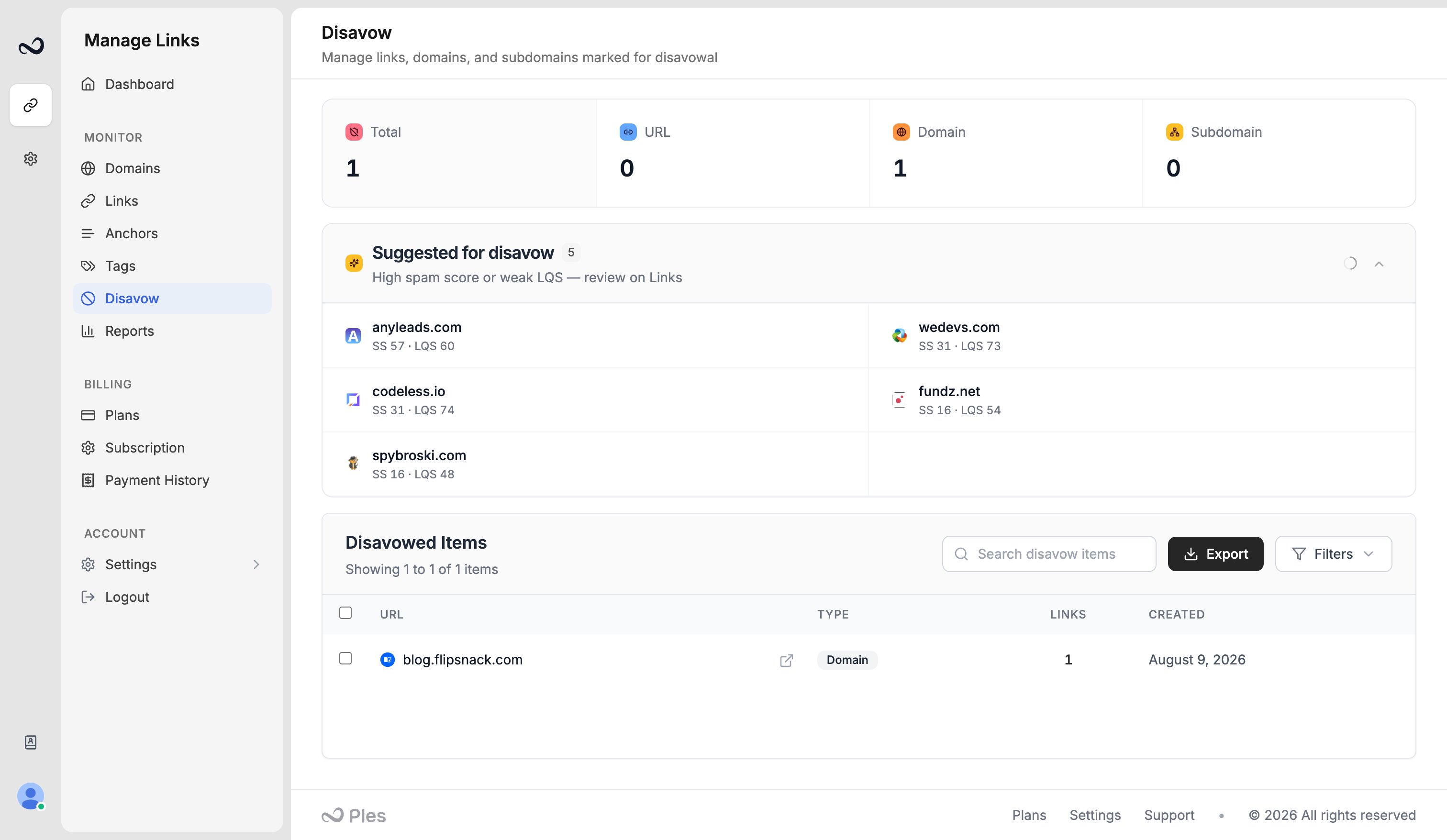
On **Disavow**, Ples lists **suggestions** — monitored links that look risky and are not on your list yet.
 ## What gets suggested
A link appears when it has a **high spam score** or a **weak [LQS](/article/what-is-lqs)**, and it is not already disavowed. The panel shows spam score (SS) and LQS so you can compare rows. Suggestions respect the domain filter on the page.
These are candidates, not automatic disavows. Open the URL on [Links](/article/links-table) before you mark it.
## Steps
Go to [app.ples.com/disavow](https://app.ples.com/disavow).
The block is titled for high spam score or weak LQS. You can collapse it after you review it.
Check the live page, status, and metrics. Skip anything you still want Google to count.
Mark the link as **domain**, **subdomain**, or **url**, then [export for GSC](/article/export-disavow-gsc) when the list is ready.
Filter to one domain first so suggestions match the property you will export.
## What's next?
Mark toxic backlinks and prepare a file for Google Search Console.
Download a per-domain disavow file in GSC format and upload it in Search Console.
LQS is a 0–100 score from DA, DR, PA, spam, traffic, and EFL.
Review error, not found, and nofollow links on the Issues page.
## What gets suggested
A link appears when it has a **high spam score** or a **weak [LQS](/article/what-is-lqs)**, and it is not already disavowed. The panel shows spam score (SS) and LQS so you can compare rows. Suggestions respect the domain filter on the page.
These are candidates, not automatic disavows. Open the URL on [Links](/article/links-table) before you mark it.
## Steps
Go to [app.ples.com/disavow](https://app.ples.com/disavow).
The block is titled for high spam score or weak LQS. You can collapse it after you review it.
Check the live page, status, and metrics. Skip anything you still want Google to count.
Mark the link as **domain**, **subdomain**, or **url**, then [export for GSC](/article/export-disavow-gsc) when the list is ready.
Filter to one domain first so suggestions match the property you will export.
## What's next?
Mark toxic backlinks and prepare a file for Google Search Console.
Download a per-domain disavow file in GSC format and upload it in Search Console.
LQS is a 0–100 score from DA, DR, PA, spam, traffic, and EFL.
Review error, not found, and nofollow links on the Issues page.