> ## Documentation Index
> Fetch the complete documentation index at: https://help.ples.com/llms.txt
> Use this file to discover all available pages before exploring further.
# Google indexing
> GI shows whether Google indexed the linking page: indexed, not_indexed, or unknown.
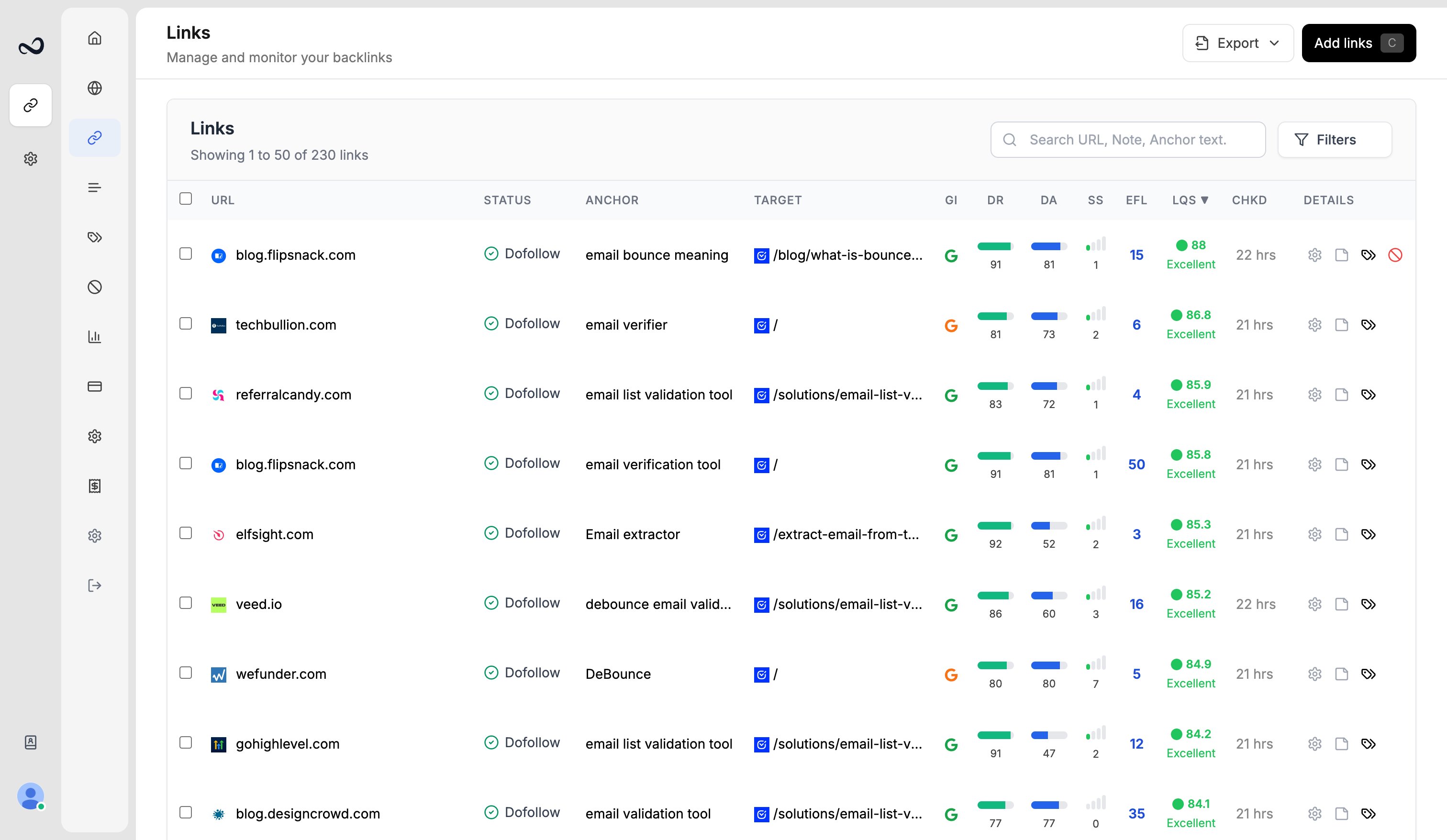
GI (Google indexing) is whether Google has the linking page in its index. Ples shows it as an icon in the Links table.
 ## Statuses
| Label | Value | Tooltip |
| ----------- | ------------- | ----------------------- |
| Indexed | `indexed` | Indexed in Google |
| Not indexed | `not_indexed` | Not indexed in Google |
| Unknown | `unknown` | Indexing status unknown |
Unknown is also used when Ples has not stored a status yet.
## How to view and filter GI
Go to `/links` and find the **GI** column.
The tooltip states indexed, not indexed, or unknown.
In the filter panel, open **Google Index** and select one or more statuses.
GI describes the linking page, not your target URL.
## What's next?
LQS is a 0–100 score from DA, DR, PA, spam, traffic, and EFL.
Read URL, status, anchor, GI, DR, DA, LQS, last checked, and more.
Filter and sort the Links table, and search domains, URLs, anchors, and tags.
Review error, not found, and nofollow links on the Issues page.
## Statuses
| Label | Value | Tooltip |
| ----------- | ------------- | ----------------------- |
| Indexed | `indexed` | Indexed in Google |
| Not indexed | `not_indexed` | Not indexed in Google |
| Unknown | `unknown` | Indexing status unknown |
Unknown is also used when Ples has not stored a status yet.
## How to view and filter GI
Go to `/links` and find the **GI** column.
The tooltip states indexed, not indexed, or unknown.
In the filter panel, open **Google Index** and select one or more statuses.
GI describes the linking page, not your target URL.
## What's next?
LQS is a 0–100 score from DA, DR, PA, spam, traffic, and EFL.
Read URL, status, anchor, GI, DR, DA, LQS, last checked, and more.
Filter and sort the Links table, and search domains, URLs, anchors, and tags.
Review error, not found, and nofollow links on the Issues page.