> ## Documentation Index
> Fetch the complete documentation index at: https://help.ples.com/llms.txt
> Use this file to discover all available pages before exploring further.
# Monitoring overview
> How Ples monitors backlinks: add a domain, add URLs, then review status, quality, and issues every 24 hours.
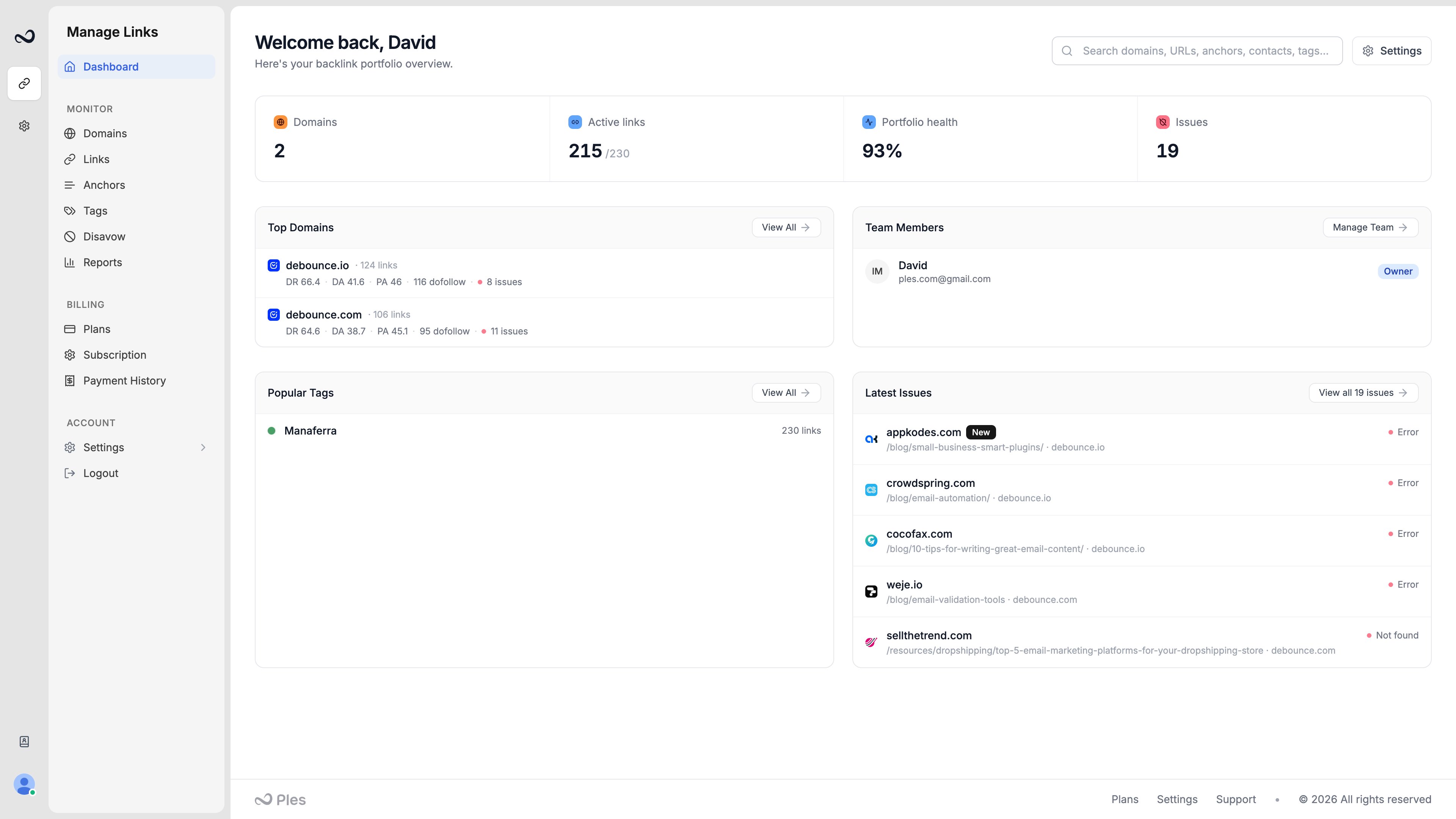
Ples monitors the backlinks you add. You register a domain you own, then submit the pages that should link to it. Ples checks those URLs about every 24 hours and updates status, quality metrics, and issues.
 ## Workflow
Open **Domains** (`/domains`) and add the site the backlinks should point to. See [How to add a domain](/article/add-a-domain).
Open **Links** and click **Add links** (`/links-add`). Paste up to 150 URLs per submission. See [How to add backlinks](/article/add-backlinks).
New rows show as **Waiting** until Ples checks them. After that, checks repeat about every 24 hours.
Use the [Links table](/article/links-table), [Issues](/article/link-issues), [tags](/article/tags), [contacts](/article/contacts), and [anchor text](/article/anchor-text) to act on what you find.
Plan limits cap how many domains and active links you can monitor. Monthly adds are **1.1×** your plan’s link limit. See [Plan limits](/article/plan-limits).
## What you can open from here
Add, inspect, and remove the sites you monitor.
Add URLs, read the table, and run bulk actions.
LQS, DA, DR, EFL, and Google indexing.
Tags, contacts, and live anchor text.
## What's next?
Add a domain you own so Ples can monitor backlinks that should point to it.
Add up to 150 backlink URLs per submission after you choose a domain.
Read URL, status, anchor, GI, DR, DA, LQS, last checked, and more.
Review error, not found, and nofollow links on the Issues page.
## Workflow
Open **Domains** (`/domains`) and add the site the backlinks should point to. See [How to add a domain](/article/add-a-domain).
Open **Links** and click **Add links** (`/links-add`). Paste up to 150 URLs per submission. See [How to add backlinks](/article/add-backlinks).
New rows show as **Waiting** until Ples checks them. After that, checks repeat about every 24 hours.
Use the [Links table](/article/links-table), [Issues](/article/link-issues), [tags](/article/tags), [contacts](/article/contacts), and [anchor text](/article/anchor-text) to act on what you find.
Plan limits cap how many domains and active links you can monitor. Monthly adds are **1.1×** your plan’s link limit. See [Plan limits](/article/plan-limits).
## What you can open from here
Add, inspect, and remove the sites you monitor.
Add URLs, read the table, and run bulk actions.
LQS, DA, DR, EFL, and Google indexing.
Tags, contacts, and live anchor text.
## What's next?
Add a domain you own so Ples can monitor backlinks that should point to it.
Add up to 150 backlink URLs per submission after you choose a domain.
Read URL, status, anchor, GI, DR, DA, LQS, last checked, and more.
Review error, not found, and nofollow links on the Issues page.