> ## Documentation Index
> Fetch the complete documentation index at: https://help.ples.com/llms.txt
> Use this file to discover all available pages before exploring further.
# Payment history
> View completed, pending, failed, and cancelled charges, and download invoices from /payment-history.
**Payment history** lists charges on the account. Open it at [app.ples.com/payment-history](https://app.ples.com/payment-history). You need **Billing** view permission.
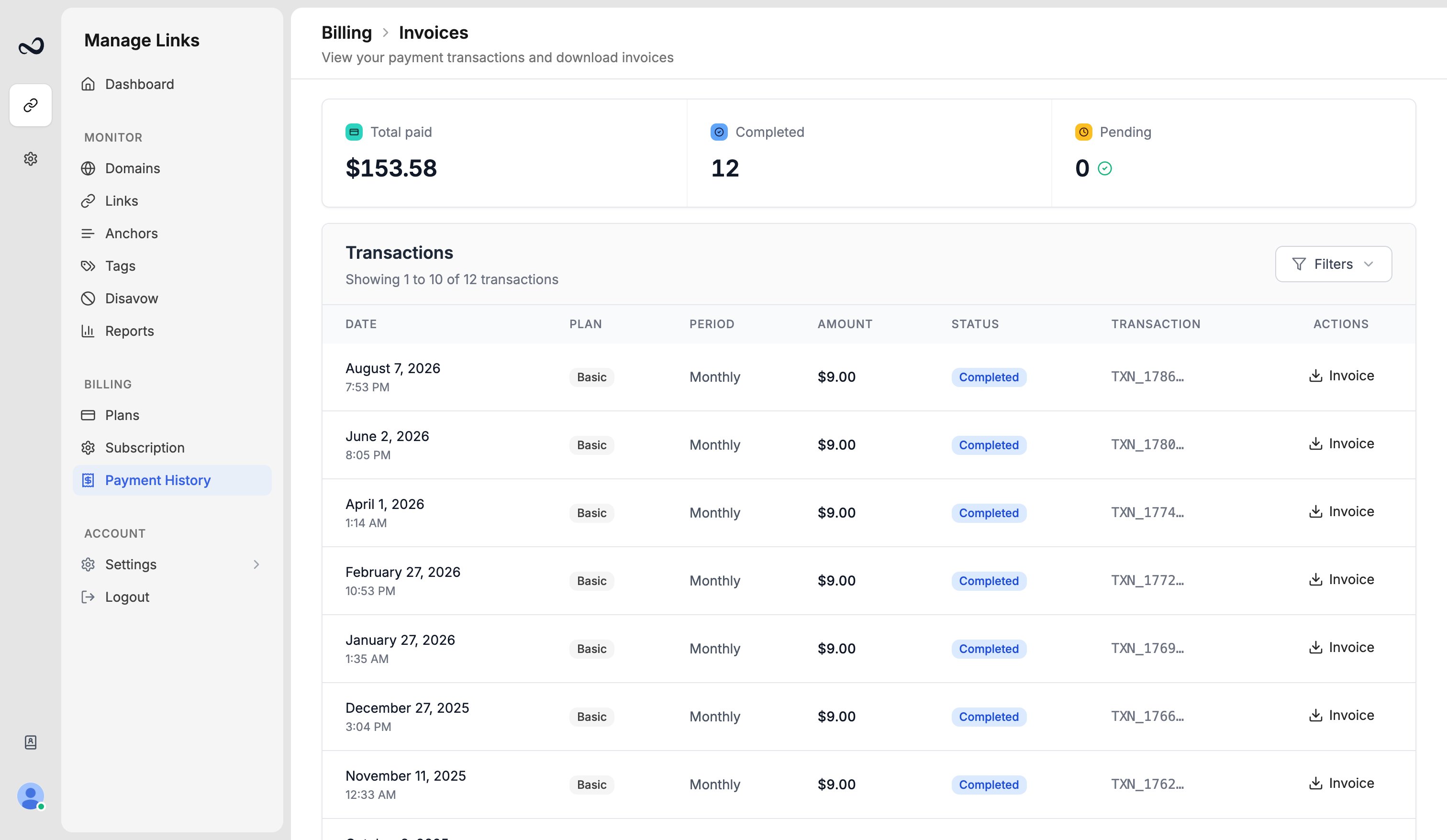 Each row includes the plan, amount, status, and date (for example July 15, 2025 in your [timezone](/article/account-settings)).
Statuses you may see:
* **Completed**
* **Pending**
* **Failed**
* **Cancelled**
Filter by status or search by plan name or transaction ID.
## Download an invoice
Go to `/payment-history`.
Use status or search if the list is long.
Download the invoice for that completed payment.
Team editors and viewers do not see this page unless you grant **Billing** view. The owner (for example David) keeps the receipts.
## What's next?
See your plan, renewal date, billing period, and reminder preferences.
Basic, Pro, Business, and Enterprise prices, including yearly billing.
Upgrades apply with proration. Downgrades wait until the period ends.
After a plan ends, Ples keeps your data for 60 days, then deletes it.
Each row includes the plan, amount, status, and date (for example July 15, 2025 in your [timezone](/article/account-settings)).
Statuses you may see:
* **Completed**
* **Pending**
* **Failed**
* **Cancelled**
Filter by status or search by plan name or transaction ID.
## Download an invoice
Go to `/payment-history`.
Use status or search if the list is long.
Download the invoice for that completed payment.
Team editors and viewers do not see this page unless you grant **Billing** view. The owner (for example David) keeps the receipts.
## What's next?
See your plan, renewal date, billing period, and reminder preferences.
Basic, Pro, Business, and Enterprise prices, including yearly billing.
Upgrades apply with proration. Downgrades wait until the period ends.
After a plan ends, Ples keeps your data for 60 days, then deletes it.