> ## Documentation Index
> Fetch the complete documentation index at: https://help.ples.com/llms.txt
> Use this file to discover all available pages before exploring further.
# How to remove a domain
> Remove a domain from Ples after its links are gone. Domains still in use cannot be deleted.
You can remove a domain only when no links are assigned to it. Deleting the domain does not delete those links for you.
 ## Steps
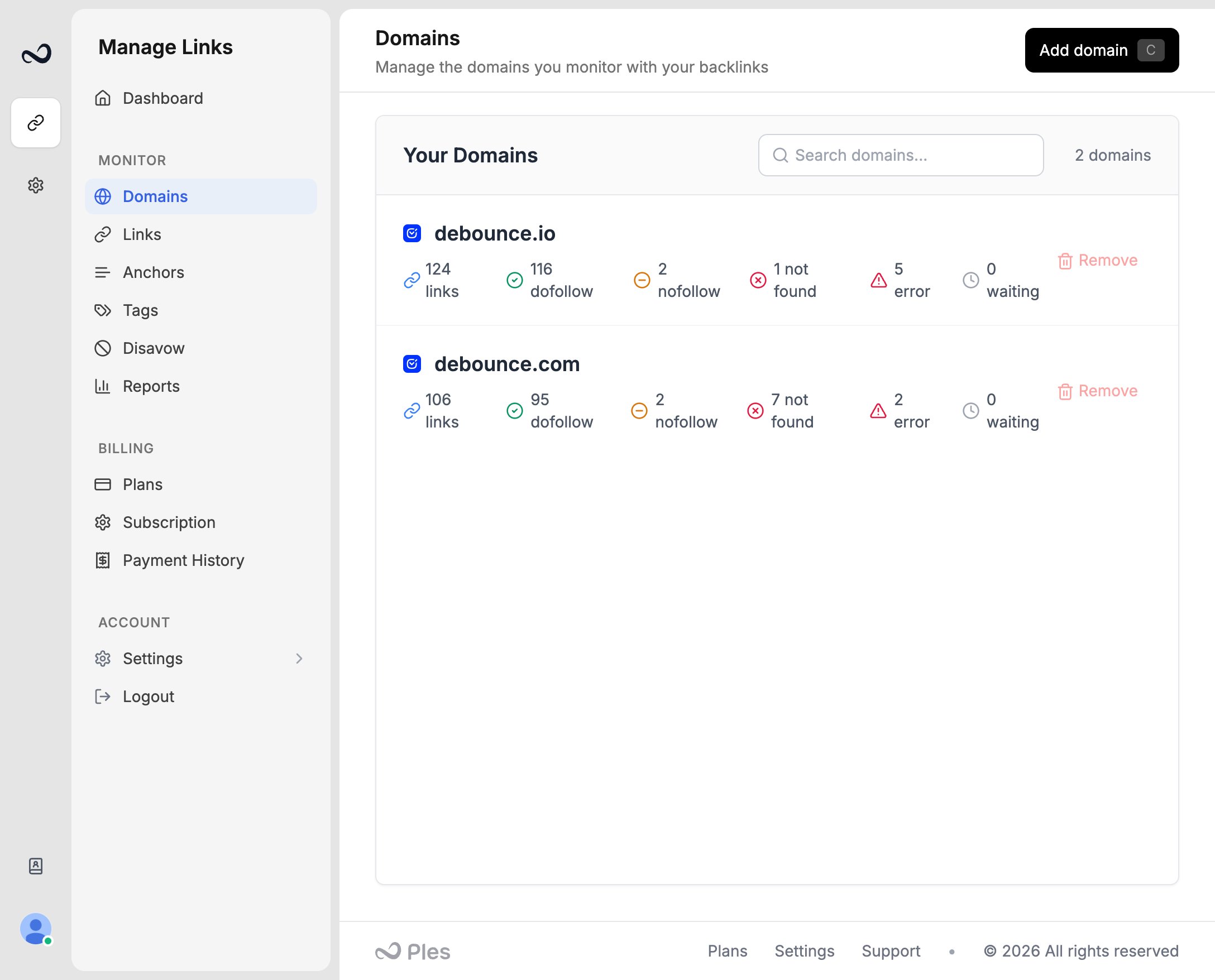
Go to **Domains** (`/domains`).
If the domain still has links, **Remove** is disabled with **Domain is in use by links**. Open the domain (it goes to `/links` filtered to that domain) and [delete or move those links](/article/bulk-actions) first.
On an unused domain, click **Remove**.
In **Delete Domain**, confirm you want to delete that domain, then click **Delete Domain**.
Removing a domain frees a domain slot on your plan. It does not restore monthly add quota for links you already submitted.
## What's next?
Add a domain you own so Ples can monitor backlinks that should point to it.
Select links to add tags, edit contacts, update disavow, or delete rows.
Domain, link, user, and AI caps on trial and paid plans.
Read URL, status, anchor, GI, DR, DA, LQS, last checked, and more.
## Steps
Go to **Domains** (`/domains`).
If the domain still has links, **Remove** is disabled with **Domain is in use by links**. Open the domain (it goes to `/links` filtered to that domain) and [delete or move those links](/article/bulk-actions) first.
On an unused domain, click **Remove**.
In **Delete Domain**, confirm you want to delete that domain, then click **Delete Domain**.
Removing a domain frees a domain slot on your plan. It does not restore monthly add quota for links you already submitted.
## What's next?
Add a domain you own so Ples can monitor backlinks that should point to it.
Select links to add tags, edit contacts, update disavow, or delete rows.
Domain, link, user, and AI caps on trial and paid plans.
Read URL, status, anchor, GI, DR, DA, LQS, last checked, and more.