> ## Documentation Index
> Fetch the complete documentation index at: https://help.ples.com/llms.txt
> Use this file to discover all available pages before exploring further.
# Subscription and renewal
> See your current plan, renewal date, billing period, and reminder preferences on Subscription.
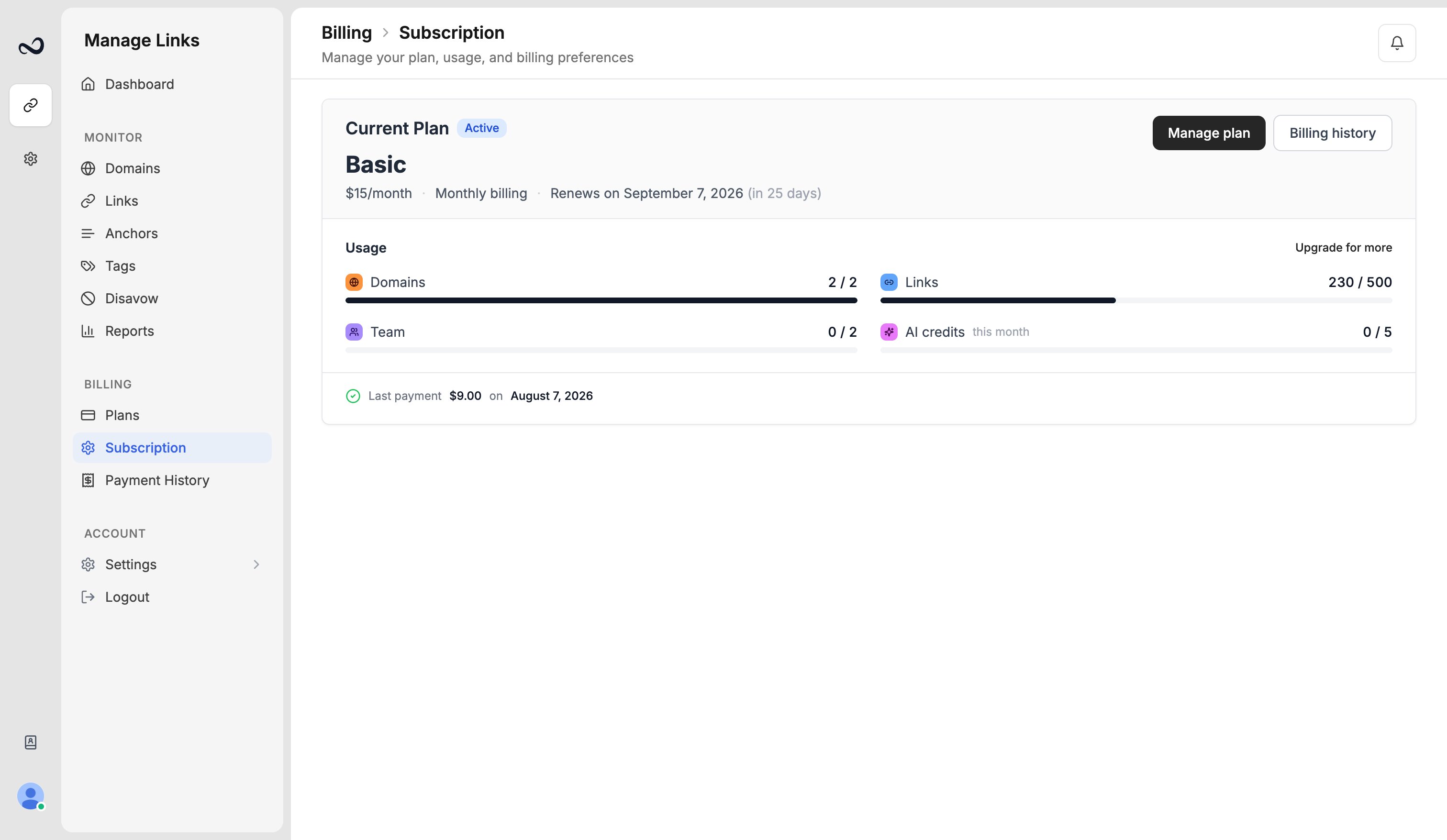
**Subscription** shows the plan you are on, when it renews or ends, and whether billing is monthly or yearly. Open it at [app.ples.com/subscription](https://app.ples.com/subscription).
 ## What you see
* Plan name (Trial, Basic, Pro, Business, or Enterprise)
* Status (active, pending change, or expired)
* Renewal or expiry date, for example July 15, 2025
* Monthly vs yearly period
* A scheduled downgrade, if you have one
Trial lasts **7 days** from signup. Convert on [Plans](/article/plans-and-pricing) before it ends if you want to keep monitoring.
## Reminders
On the same page you can turn on or off:
* Trial warnings
* Renewal reminders (default 7 days before)
* Payment failure alerts
Yearly billing still renews once a year. You paid for 10 months up front and the term is 12 months. See [Plans and pricing](/article/plans-and-pricing).
To change the plan itself, use [Upgrade or downgrade](/article/upgrade-or-downgrade). Invoices live on [Payment history](/article/payment-history).
## What's next?
Basic, Pro, Business, and Enterprise prices, including yearly billing.
Upgrades apply with proration. Downgrades wait until the period ends.
View charges and download invoices from payment history.
After a plan ends, Ples keeps your data for 60 days, then deletes it.
## What you see
* Plan name (Trial, Basic, Pro, Business, or Enterprise)
* Status (active, pending change, or expired)
* Renewal or expiry date, for example July 15, 2025
* Monthly vs yearly period
* A scheduled downgrade, if you have one
Trial lasts **7 days** from signup. Convert on [Plans](/article/plans-and-pricing) before it ends if you want to keep monitoring.
## Reminders
On the same page you can turn on or off:
* Trial warnings
* Renewal reminders (default 7 days before)
* Payment failure alerts
Yearly billing still renews once a year. You paid for 10 months up front and the term is 12 months. See [Plans and pricing](/article/plans-and-pricing).
To change the plan itself, use [Upgrade or downgrade](/article/upgrade-or-downgrade). Invoices live on [Payment history](/article/payment-history).
## What's next?
Basic, Pro, Business, and Enterprise prices, including yearly billing.
Upgrades apply with proration. Downgrades wait until the period ends.
View charges and download invoices from payment history.
After a plan ends, Ples keeps your data for 60 days, then deletes it.