> ## Documentation Index
> Fetch the complete documentation index at: https://help.ples.com/llms.txt
> Use this file to discover all available pages before exploring further.
# How to use tags
> Create colored tags, assign up to 5 per link, and keep at most 100 tags on the account.
Tags group links by campaign, client, or source. Each tag has a color. You can create up to **100** tags and assign up to **5** per link.
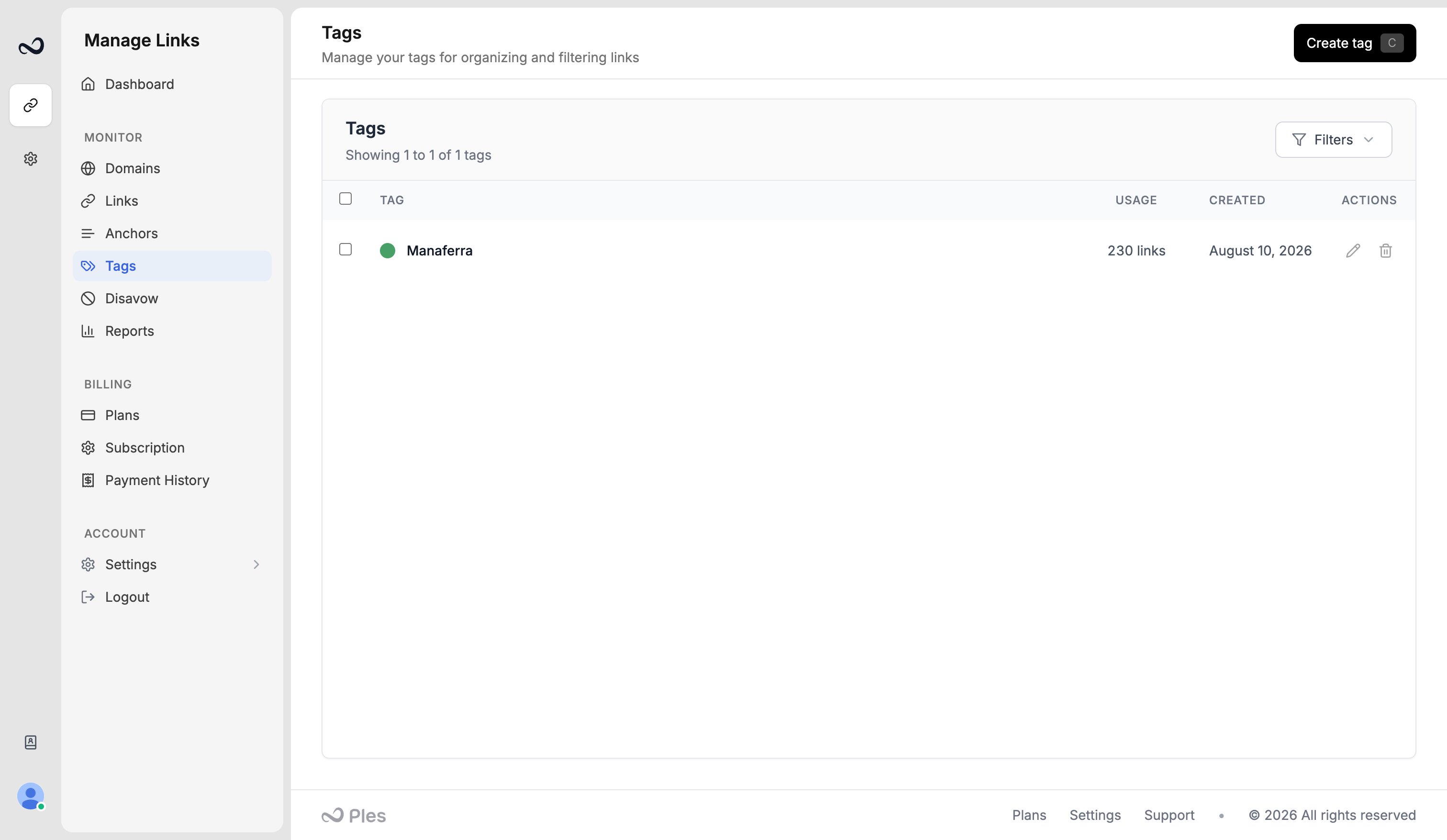 ## Create a tag
Go to `/tags`.
Use **Create tag** in the header.
Enter a name and pick a color, then save. Example: a `Guest post` tag David uses for July 15, 2025 placements.
## Assign tags to links
On `/links-add`, assign tags in the Tags step. They apply to every URL in that submission.
Select rows on `/links` and use bulk **Add Tags**, or assign tags from the link.
Filter the Links table by tag, or use [header search](/article/filter-sort-search) to find a tag by name. The dashboard **Popular tags** section lists tags you use most.
If you hit 100 tags or 5 on a single link, Ples blocks the extra tag until you remove one.
## What's next?
Save a name and email, then assign the contact to the links they placed.
Add up to 150 backlink URLs per submission after you choose a domain.
Filter and sort the Links table, and search domains, URLs, anchors, and tags.
Select links to add tags, edit contacts, update disavow, or delete rows.
## Create a tag
Go to `/tags`.
Use **Create tag** in the header.
Enter a name and pick a color, then save. Example: a `Guest post` tag David uses for July 15, 2025 placements.
## Assign tags to links
On `/links-add`, assign tags in the Tags step. They apply to every URL in that submission.
Select rows on `/links` and use bulk **Add Tags**, or assign tags from the link.
Filter the Links table by tag, or use [header search](/article/filter-sort-search) to find a tag by name. The dashboard **Popular tags** section lists tags you use most.
If you hit 100 tags or 5 on a single link, Ples blocks the extra tag until you remove one.
## What's next?
Save a name and email, then assign the contact to the links they placed.
Add up to 150 backlink URLs per submission after you choose a domain.
Filter and sort the Links table, and search domains, URLs, anchors, and tags.
Select links to add tags, edit contacts, update disavow, or delete rows.