> ## Documentation Index
> Fetch the complete documentation index at: https://help.ples.com/llms.txt
> Use this file to discover all available pages before exploring further.
# Teams and billing
> How Ples teams, roles, plans, and invoices fit together — including who can invite people and who can change the plan.
Each Ples account has one **owner**, a plan, and optional teammates. The owner’s plan sets domain, link, user, and AI limits for everyone on the team.
 ## Team
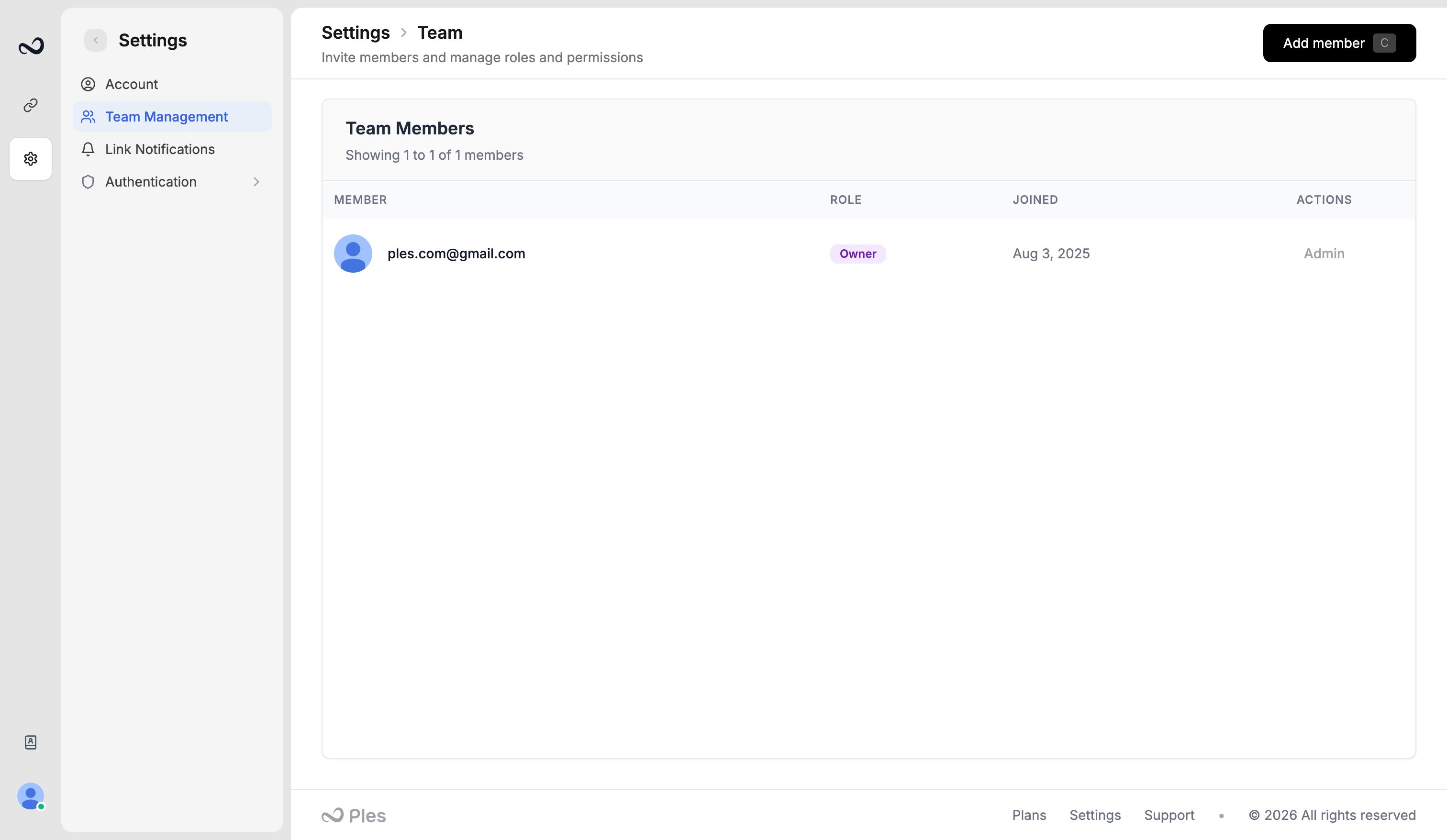
* The **owner** (and any **admin**) invites people as **Editor** or **Viewer** from `/settings/team-management`.
* You can have as many members as your plan’s **users** limit (trial 1, Basic 2, Pro 5, Business 10, Enterprise 20).
* At most **5** invitations can sit pending at once.
* Editors and viewers get per-menu **view** and **edit** access. See [Roles and permissions](/article/roles-and-permissions).
Example: David is the owner. He invites a colleague as Editor with Links and Reports only.
## Billing
Only the owner/admin manages plans, subscription, and invoices:
* [Plans and pricing](/article/plans-and-pricing) — `/plans`
* [Subscription and renewal](/article/subscription-and-renewal) — `/subscription`
* [Payment history](/article/payment-history) — `/payment-history`
Ples does not offer a public API, SSO for customers, or custom short domains.
## What's next?
Invite an editor or viewer by email from Team, within your plan’s user cap.
Owner, Admin, Editor, and Viewer roles, plus per-menu view and edit.
Basic, Pro, Business, and Enterprise prices, including yearly billing.
Set your timezone, change your password, and see usage for domains, links, and AI.
## Team
* The **owner** (and any **admin**) invites people as **Editor** or **Viewer** from `/settings/team-management`.
* You can have as many members as your plan’s **users** limit (trial 1, Basic 2, Pro 5, Business 10, Enterprise 20).
* At most **5** invitations can sit pending at once.
* Editors and viewers get per-menu **view** and **edit** access. See [Roles and permissions](/article/roles-and-permissions).
Example: David is the owner. He invites a colleague as Editor with Links and Reports only.
## Billing
Only the owner/admin manages plans, subscription, and invoices:
* [Plans and pricing](/article/plans-and-pricing) — `/plans`
* [Subscription and renewal](/article/subscription-and-renewal) — `/subscription`
* [Payment history](/article/payment-history) — `/payment-history`
Ples does not offer a public API, SSO for customers, or custom short domains.
## What's next?
Invite an editor or viewer by email from Team, within your plan’s user cap.
Owner, Admin, Editor, and Viewer roles, plus per-menu view and edit.
Basic, Pro, Business, and Enterprise prices, including yearly billing.
Set your timezone, change your password, and see usage for domains, links, and AI.