> ## Documentation Index
> Fetch the complete documentation index at: https://help.ples.com/llms.txt
> Use this file to discover all available pages before exploring further.
# What is EFL?
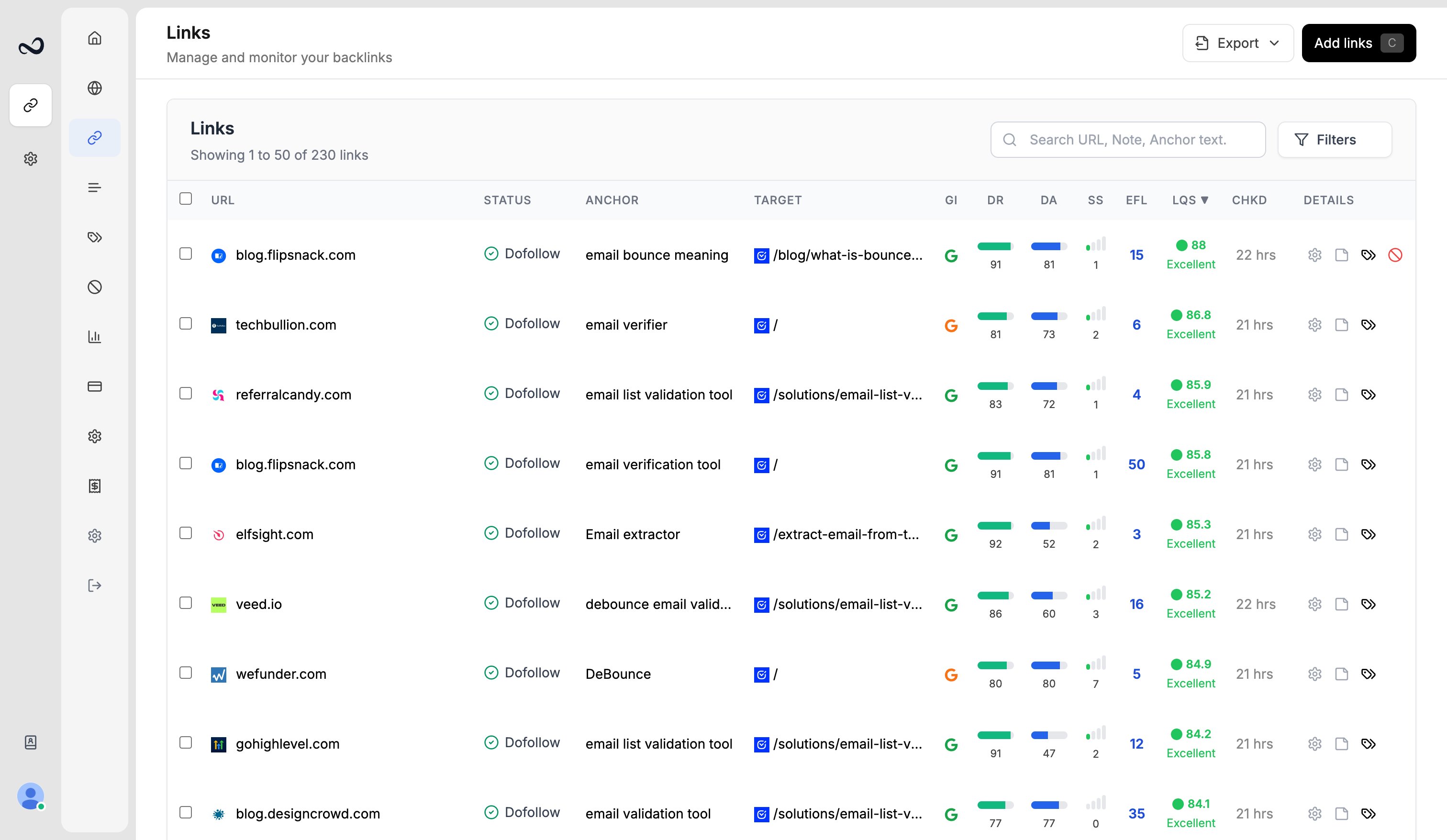
> EFL is the external dofollow link count on the linking page. The tooltip also shows external nofollow and internal counts.
EFL (external dofollow count) is how many dofollow links on the linking page point to other sites. A high EFL means the page shares equity across more external links.
 ## What the tooltip shows
Hover the EFL number:
* **External Dofollow** — the EFL value in the cell
* **External Nofollow** — nofollow links to other sites
* **Internal Links** — links that stay on the same site
EFL is 8% of the [LQS](/article/what-is-lqs) mix. If EFL is missing, that slice counts as neutral.
## How to view EFL
Go to `/links`.
Hover the number for nofollow and internal counts. You can sort by EFL or filter by an EFL range.
[Link details](/article/link-details) also lists **External dofollow links (EFL)**.
## What's next?
LQS is a 0–100 score from DA, DR, PA, spam, traffic, and EFL.
DA, PA, and spam score come from Moz. Domain Rating is shown in the Ples UI.
Read URL, status, anchor, GI, DR, DA, LQS, last checked, and more.
Preview the linking page with the monitored link highlighted.
## What the tooltip shows
Hover the EFL number:
* **External Dofollow** — the EFL value in the cell
* **External Nofollow** — nofollow links to other sites
* **Internal Links** — links that stay on the same site
EFL is 8% of the [LQS](/article/what-is-lqs) mix. If EFL is missing, that slice counts as neutral.
## How to view EFL
Go to `/links`.
Hover the number for nofollow and internal counts. You can sort by EFL or filter by an EFL range.
[Link details](/article/link-details) also lists **External dofollow links (EFL)**.
## What's next?
LQS is a 0–100 score from DA, DR, PA, spam, traffic, and EFL.
DA, PA, and spam score come from Moz. Domain Rating is shown in the Ples UI.
Read URL, status, anchor, GI, DR, DA, LQS, last checked, and more.
Preview the linking page with the monitored link highlighted.