> ## Documentation Index
> Fetch the complete documentation index at: https://help.ples.com/llms.txt
> Use this file to discover all available pages before exploring further.
# What is Link Quality Score (LQS)?
> LQS is a 0–100 score. It needs DA or DR, averages DA/DR/PA, then blends spam, traffic, and EFL (8%).
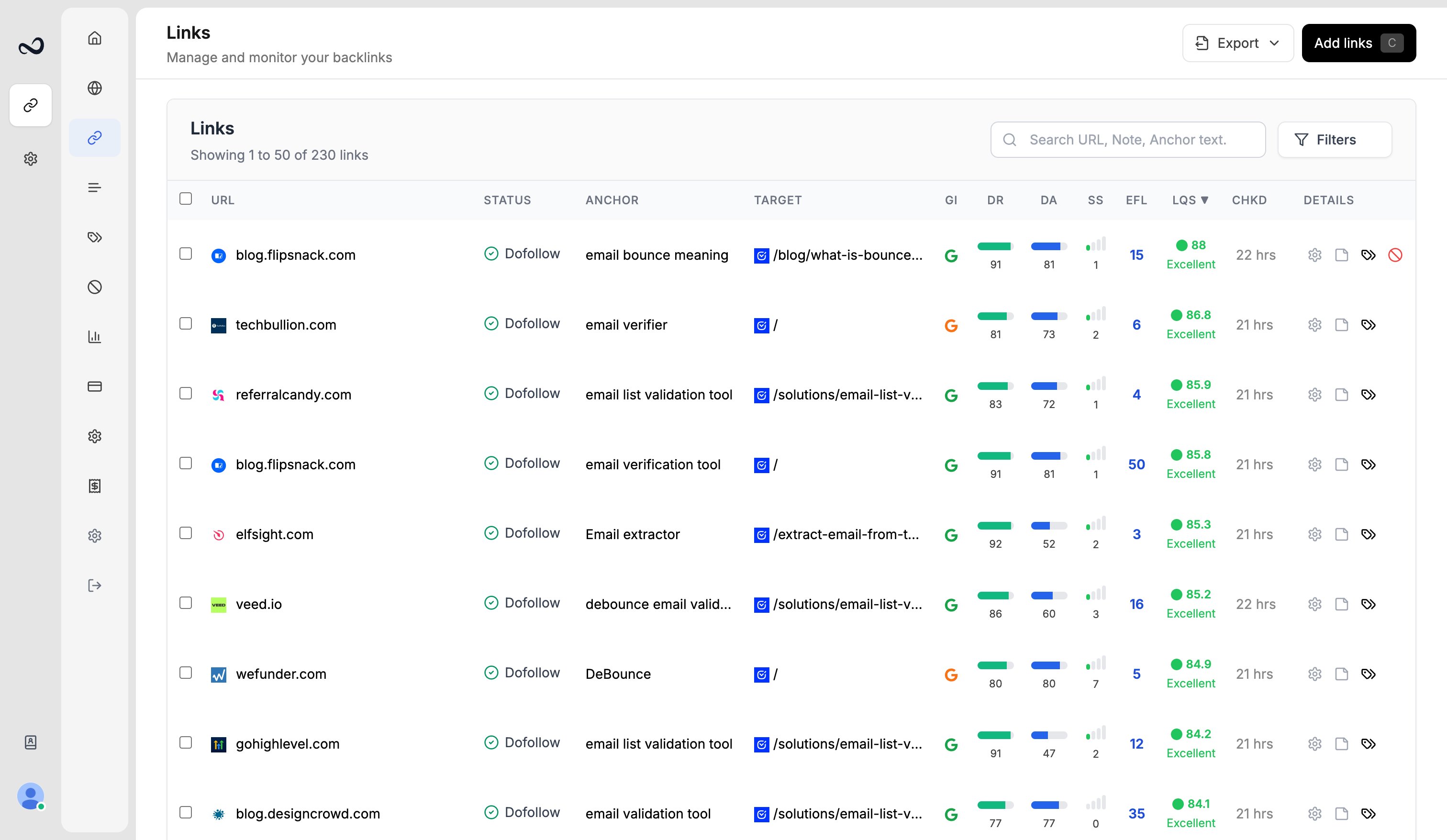
Link Quality Score (LQS) is Ples’s 0–100 rating for a monitored backlink. You see it in the Links table, link details, and reports.
 ## How Ples calculates LQS
* **Authority gate** — LQS needs **DA** or **DR**. If both are missing, LQS is null (shown as —), not zero.
* **Authority blend** — Ples averages DA, DR, and PA.
* **Other signals** — It then blends spam score, organic traffic, and **EFL** (8% of the mix).
* **Missing metrics** — If spam, traffic, or EFL is missing, that part counts as **neutral**, not as a penalty.
Hover the **LQS** column header for the same summary.
When a score exists, Ples also shows a label: **Excellent**, **Good**, **Average**, or **Weak**.
## How to view LQS
Go to `/links`.
Sort by LQS or open [link details](/article/link-details) for the full breakdown next to DA, DR, and EFL.
LQS is calibrated for typical link-building placements, not for sites like Google or Facebook. New rows stay empty until authority metrics exist.
## What's next?
DA, PA, and spam score come from Moz. Domain Rating is shown in the Ples UI.
EFL is the external dofollow link count on the linking page.
GI shows whether Google indexed the linking page: indexed, not indexed, or unknown.
Read URL, status, anchor, GI, DR, DA, LQS, last checked, and more.
## How Ples calculates LQS
* **Authority gate** — LQS needs **DA** or **DR**. If both are missing, LQS is null (shown as —), not zero.
* **Authority blend** — Ples averages DA, DR, and PA.
* **Other signals** — It then blends spam score, organic traffic, and **EFL** (8% of the mix).
* **Missing metrics** — If spam, traffic, or EFL is missing, that part counts as **neutral**, not as a penalty.
Hover the **LQS** column header for the same summary.
When a score exists, Ples also shows a label: **Excellent**, **Good**, **Average**, or **Weak**.
## How to view LQS
Go to `/links`.
Sort by LQS or open [link details](/article/link-details) for the full breakdown next to DA, DR, and EFL.
LQS is calibrated for typical link-building placements, not for sites like Google or Facebook. New rows stay empty until authority metrics exist.
## What's next?
DA, PA, and spam score come from Moz. Domain Rating is shown in the Ples UI.
EFL is the external dofollow link count on the linking page.
GI shows whether Google indexed the linking page: indexed, not indexed, or unknown.
Read URL, status, anchor, GI, DR, DA, LQS, last checked, and more.