

/reports) to judge the quality of the backlinks you already monitor — not to discover new ones.
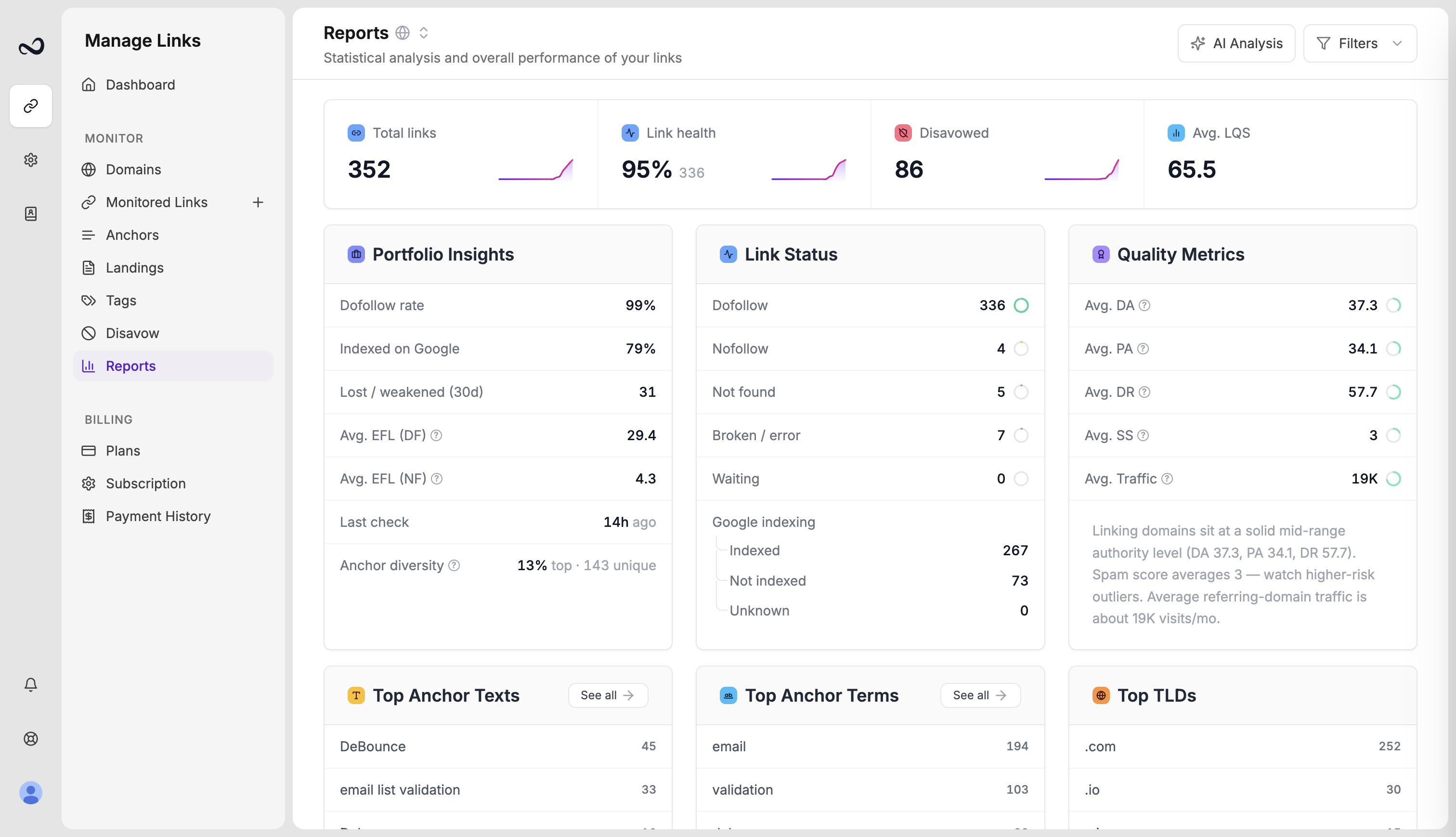
Link health and average LQS
- Link health is the percentage of links that are live dofollow. A drop usually means more nofollow, not found, or error rows — open Link issues to act.
- Avg. LQS is the mean Link Quality Score for links that have a score. Waiting or unscored rows are excluded from the average.
Authority distribution
Quality Metrics shows average Domain Authority (DA), Page Authority (PA), and Domain Rating (DR), plus how those scores are distributed. Expand a metric to see how many links sit in each band. High averages with a long tail of weak domains often means a few strong placements are carrying the rest of the list.Indexing
For links Ples found (dofollow or nofollow), Reports splits Indexed, Not indexed, and Unknown. Error and not-found rows are left out of that percentage. See Google indexing.Tag performance
If you use tags, Reports compares groups by average LQS, dofollow rate, and issues. Use this to see which campaigns are holding up.Disavow candidates
Reports flags links with high spam score or weak LQS that are not already disavowed. Review them before you add anything to the disavow list.Use the filter panel
Narrow the page to one domain, a status, a tag, a contact, disavow state, or text vs image anchors. Click a metric to jump into the matching Links or Issues view with those filters applied.What’s next?
Reports overview
See portfolio health, average LQS, indexing, tags, and disavow candidates.
Analyze your portfolio with AI
Run Analyze Portfolio on Reports to get GPT-5.6 Terra insights within your plan quota.
What is Link Quality Score (LQS)?
LQS is a 0–100 score from DA, DR, PA, spam, traffic, and EFL.
Authority metrics
DA, PA, and spam score come from Moz. Domain Rating is shown in the Ples UI.