

https://app.ples.com). It is a snapshot of your backlink portfolio, not a replacement for Monitored Links.
When Backlink Finder has waiting rows, a Review button in the header opens the inbox. New workspaces also show Complete setup in the sidebar until you add a domain, add monitored links, and invite a teammate (you can dismiss the guide).
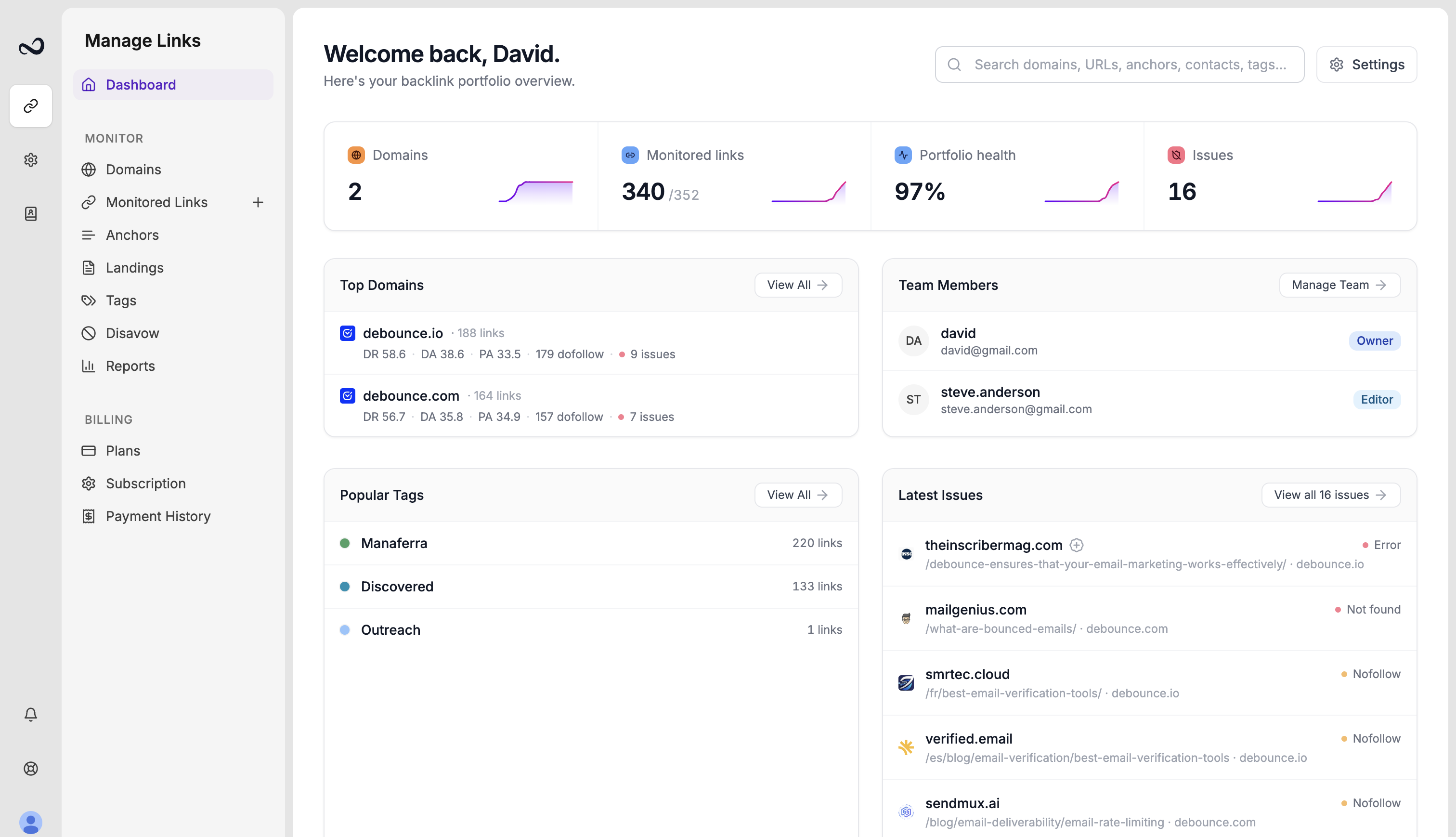
Metric cards
Typical cards include:- Domains — how many properties you monitor versus your plan limit
- Active links — links currently using a monitoring slot
- Portfolio health — share of live dofollow links
- Issues — links that are not found, in error, or nofollow
Sections below the cards
- Top domains — properties with the most monitored links
- Team — who is on the account (for example David as owner)
- Popular tags — tags you use most often
- Latest issues — recent status problems, with a path into Link issues
- Landings — after you have live links, open Landings from Monitor to group them by target URL
Search
Use the header search to find domains, URLs, anchors, contacts, and tags without leaving the page. See Filter, sort, and search.What’s next?
Monitoring overview
How Ples checks backlinks every 24 hours and where to review status and issues.
Monitored Links
Read URL, status, anchor, GI, DR, DA, LQS, last checked, and more.
Link issues
Review error, not found, and nofollow links on the Issues page.
Reports overview
See portfolio health, average LQS, indexing, tags, and disavow candidates.