

Steps
1
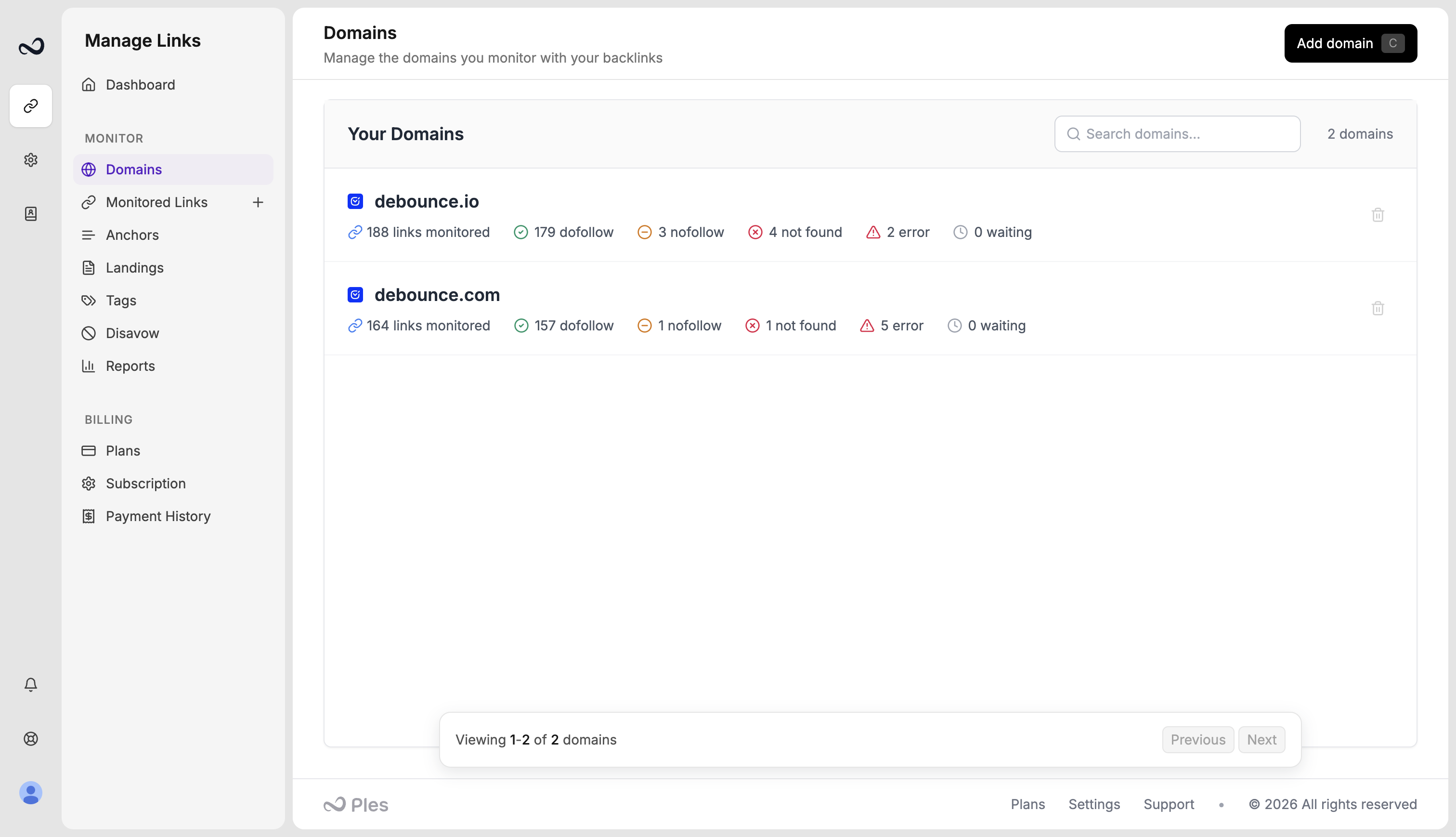
Open Domains
Go to Domains (
/domains).2
Click Add domain
Use Add domain in the header, or the same button on the empty state.
3
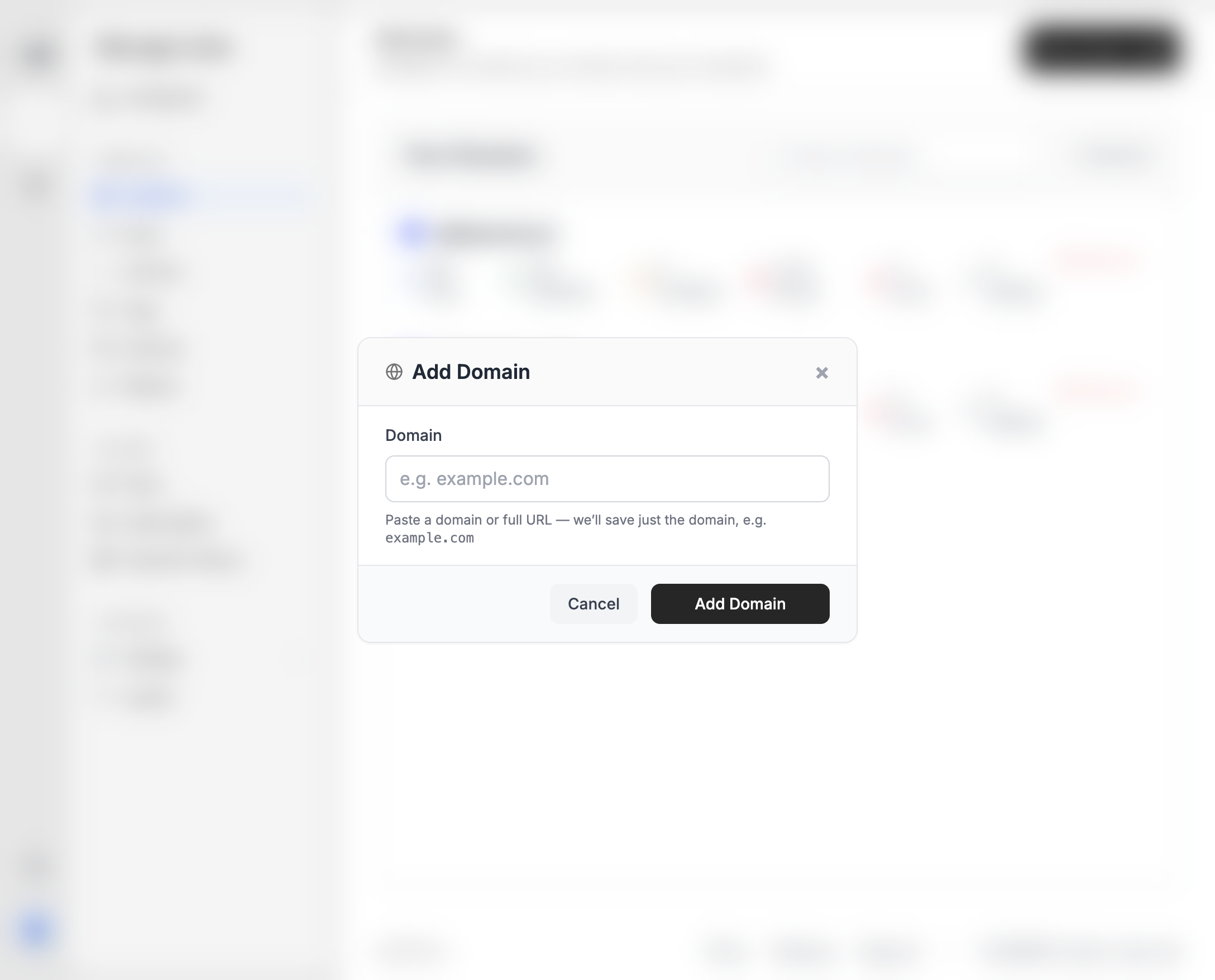
Enter the domain
Paste a domain or a full URL. Ples saves just the domain, for example
example.com.4
Save
Click Add Domain. The domain appears in Your Domains with dofollow, nofollow, not found, error, and waiting counts once you add links.
/links-add) with Add Domain next to the domain dropdown.
Domain count is limited by your plan. If Ples blocks the add, see Plan limits.
After you add a domain
Add the pages that should link to it. Unused domains (no links yet) show an Unused label and an Add Link action.What’s next?
How to add backlinks
Add up to 150 backlink URLs per submission after you choose a domain.
Domain analytics
Open 12-month DR, DA, and PA charts for a monitored domain.
How to remove a domain
Remove a domain after its links are gone. Domains still in use cannot be deleted.
Plan limits
Domain, link, user, and AI caps on trial and paid plans.