

Roles
You cannot invite another owner. Change a member’s role later from Team (
/settings/team-management). Switching someone to Viewer clears their edit checkboxes.
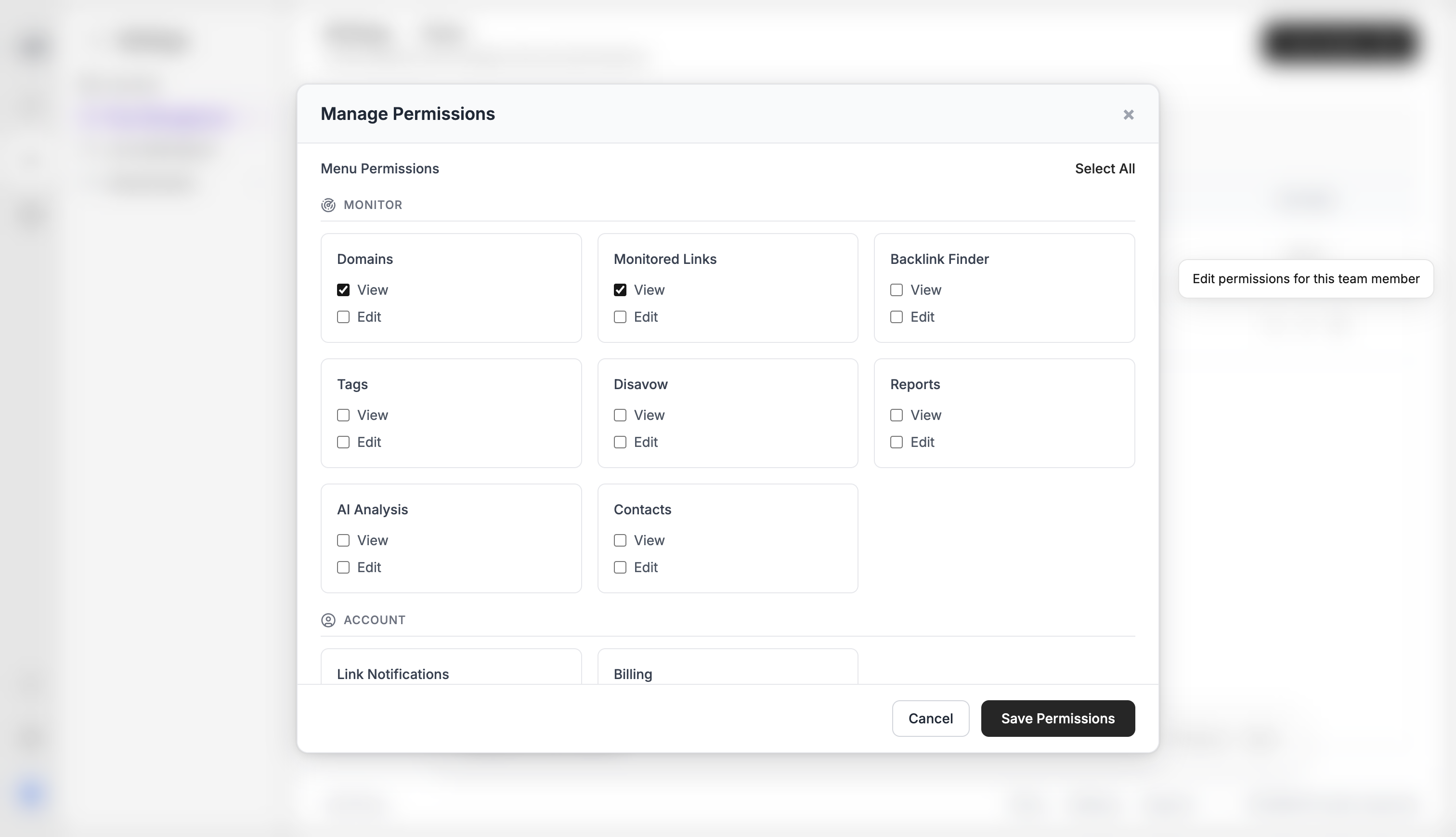
Per-menu access
For each Editor or Viewer, turn view and (for Editors) edit on or off:- Domains
- Monitored Links
- Backlink Finder — separate from Monitored Links. Grant this to open
/discover - Tags
- Disavow
- Reports
- AI Analysis — separate from Reports. Required to run Analyze Portfolio
- Contacts
- Billing — view only
- Notifications
Team size is capped by the plan’s users limit. See Plan limits.
What’s next?
How to invite teammates
Invite an editor or viewer by email from Team, within your plan’s user cap.
Teams and billing
How teams, roles, plans, and invoices fit together.
Account settings
Set your timezone, change your password, and see usage for domains, links, and AI.
Two-factor authentication
Turn on 2FA with an authenticator app or email OTP.