

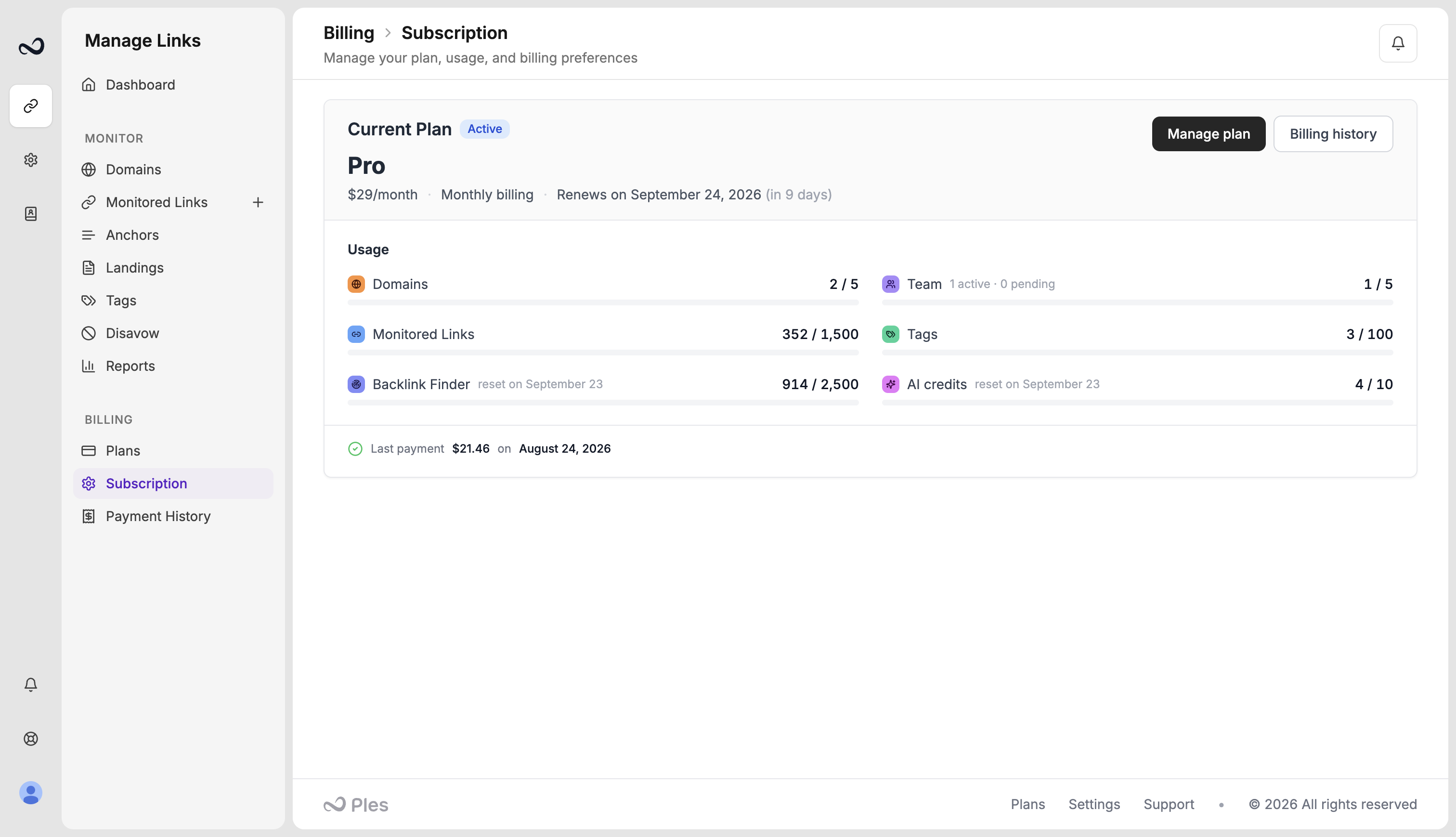
What you see
- Plan name (Trial, Basic, Pro, Business, or Enterprise)
- Status (active, pending change, or expired)
- Renewal or expiry date, for example July 15, 2025
- Monthly vs yearly period
- A scheduled downgrade, if you have one
Usage
The same page shows usage for Domains, Monitored Links, Backlink Finder (when Finder is on), Team, Tags, and AI credits. Finder finds reset on your billing date — that is the date next to Backlink Finder on this page.Reminders
On the same page you can turn on or off:- Trial warnings
- Renewal reminders (default 7 days before)
- Payment failure alerts
Yearly billing still renews once a year. You paid for 10 months up front and the term is 12 months. See Plans and pricing.
What’s next?
Plans and pricing
Basic, Pro, Business, and Enterprise prices, including yearly billing.
Upgrade or downgrade
Upgrades apply with proration. Downgrades wait until the period ends.
Payment history
View charges and download invoices from payment history.
What happens when your plan expires
After a plan ends, Ples keeps your data for 60 days, then deletes it.