

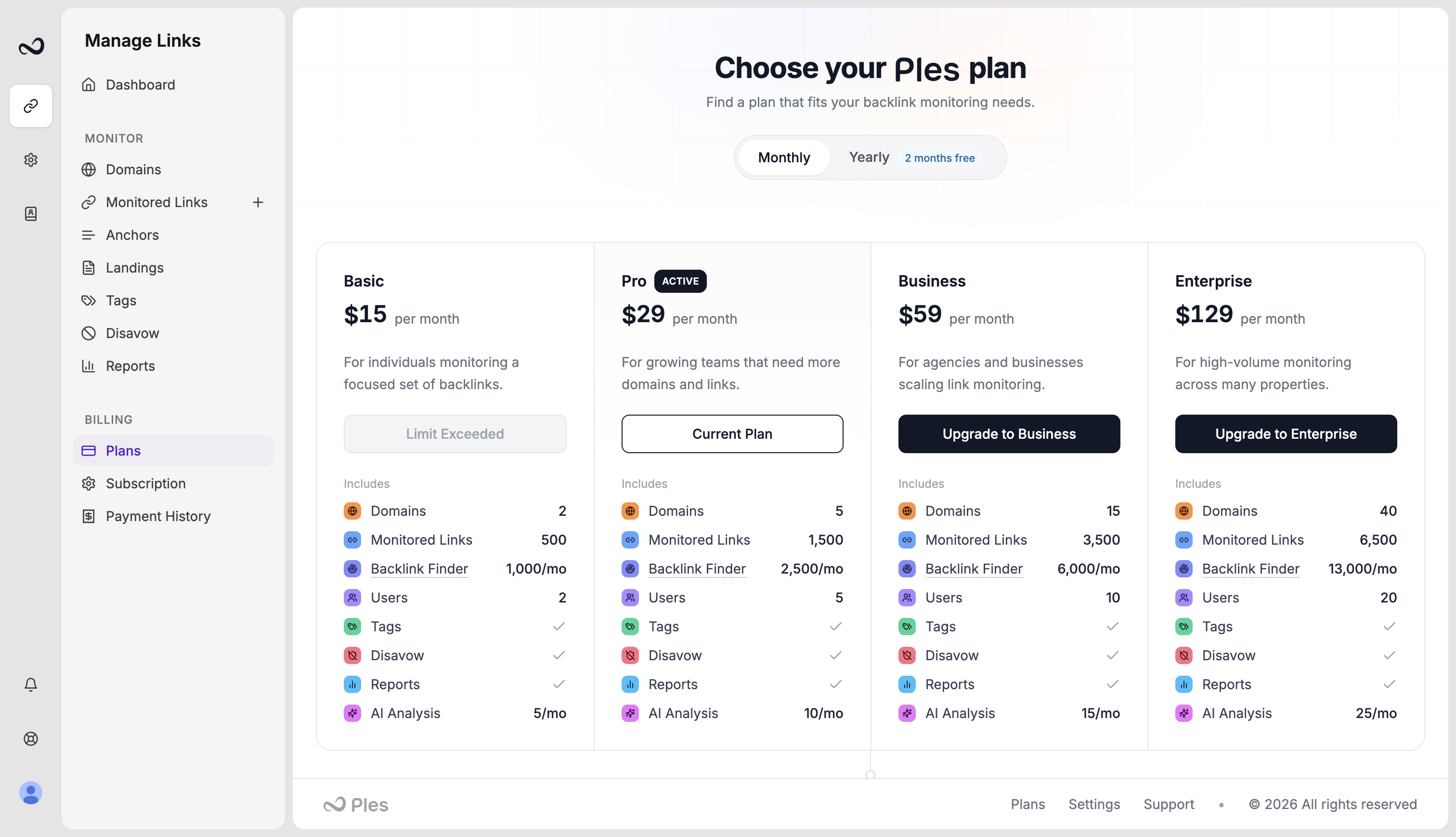
Which limit you hit
Exact numbers are on Plan limits. Usage bars are on Account.
What to do
1
Read the error
It names domains, links, monthly adds, Finder finds or inbox, users, invitations, or AI.
2
Free a slot or wait
Remove a domain, link, or teammate you no longer need. For Finder inbox, add, ignore, or disavow waiting rows. For monthly adds, Finder finds, and AI, wait until the next period or upgrade.
3
Or move to a higher plan
Open
/plans. Upgrades apply with proration after payment.What’s next?
Plan limits
Domain, link, user, and AI caps on trial and paid plans.
Upgrade or downgrade
Upgrades apply with proration. Downgrades wait until the period ends.
Plans and pricing
Basic, Pro, Business, and Enterprise prices, including yearly billing.
How to invite teammates
Invite an editor or viewer by email from Team, within your plan’s user cap.