

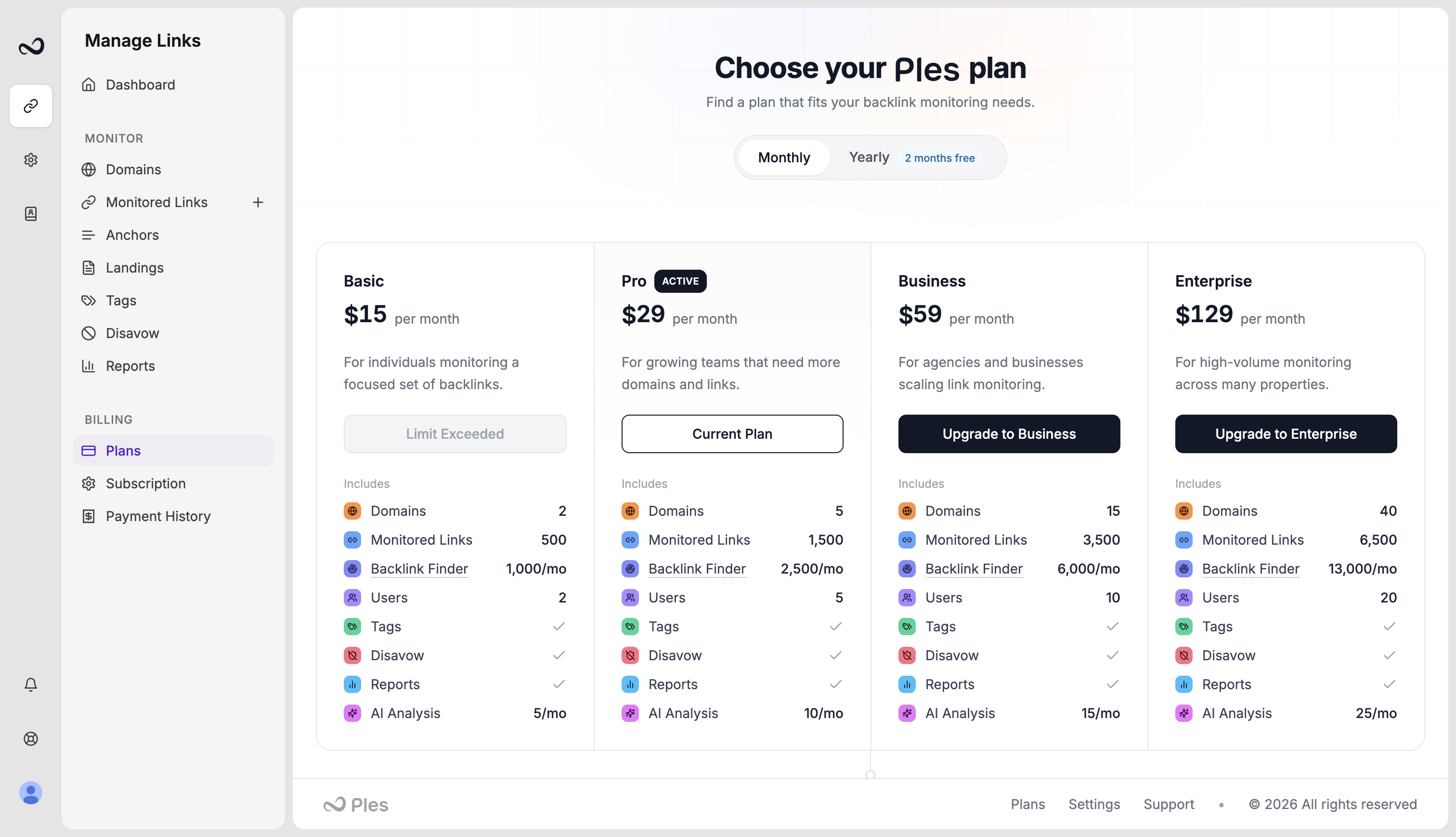
Upgrade
The new limits apply when payment succeeds. Ples prorates the unused time on your current plan and charges the difference for the rest of the period. Confirm the amount in the proration dialog before you pay.Downgrade
A downgrade is scheduled for the end of the current period. You keep the higher plan until then. Ples cancels the pending change if, on that date, you still exceed the lower plan’s domain, link, or user caps.Before you switch
1
Check usage
Open Account and compare domains, active links, and team members with the target plan.
2
Reduce what does not fit
Remove extra domains, links, or teammates if you are moving down. Ples blocks a change that would leave you over the new caps.
3
Confirm on Plans
Choose monthly or yearly, then complete upgrade proration or the downgrade schedule. You cannot start another plan change while one is pending.
What’s next?
Plans and pricing
Basic, Pro, Business, and Enterprise prices, including yearly billing.
Plan limits
Domain, link, user, and AI caps on trial and paid plans.
Subscription and renewal
See your plan, renewal date, billing period, and reminder preferences.
You hit a plan limit
What to do when Ples blocks a new domain, link, teammate, or AI analysis.