

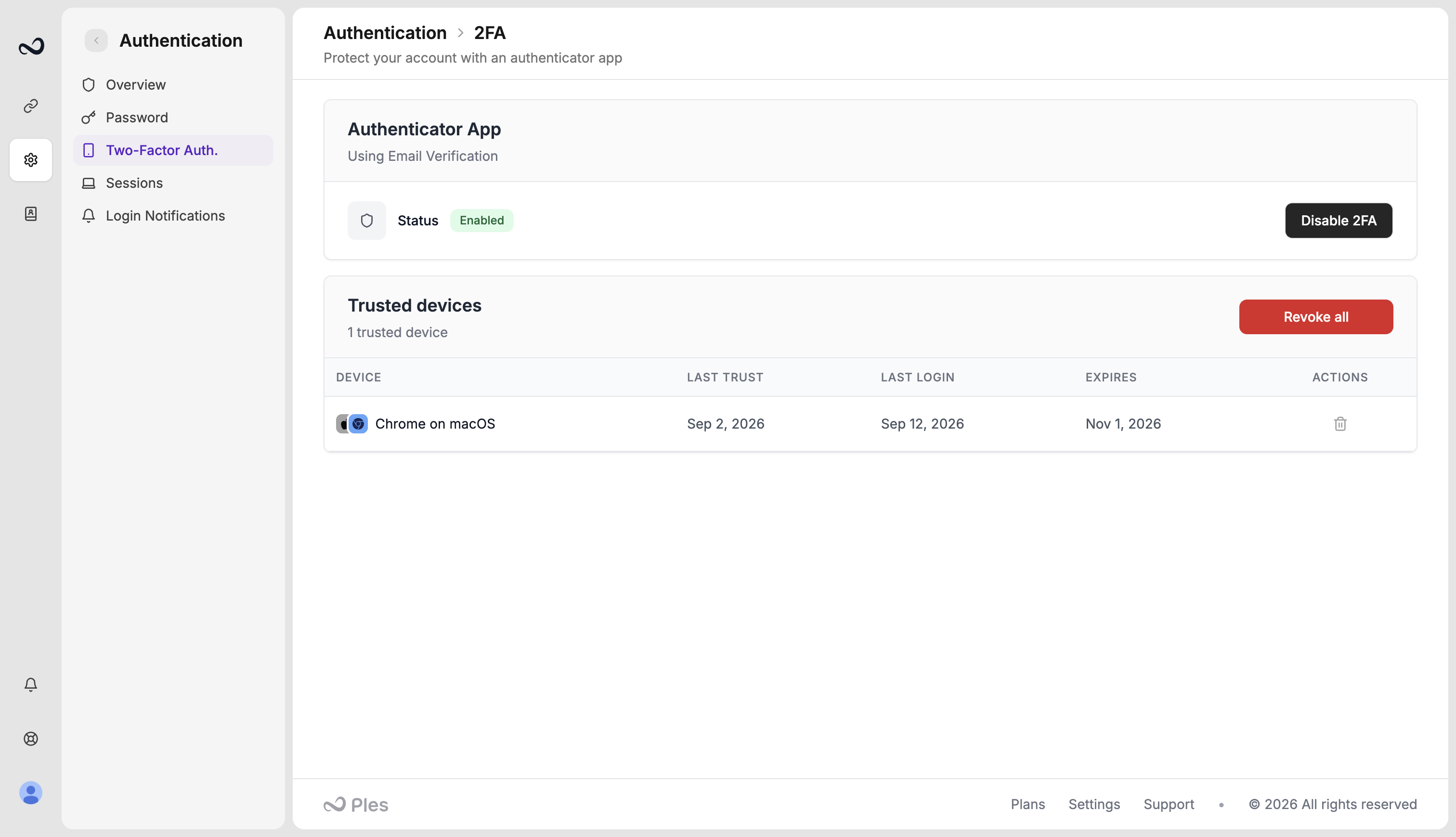
Turn 2FA on
1
Open 2FA settings
2
Click Enable 2FA
Choose Authenticator App (Google Authenticator, Authy, or similar) or Email Verification.
3
Finish the wizard
For TOTP, scan the QR code and enter a 6-digit code. For email, enter the code Ples sends to your account email. Save your backup codes if you chose an authenticator.
At sign-in
After email and password, Ples sends you to/2fa-challenge (Verify Your Login). Enter the 6-digit code from the app or from email, complete Cloudflare Turnstile, and click Verify. Email OTP can be resent after a short cooldown.
You can trust this device for 60 days so Ples skips the 2FA challenge on that browser. Review or revoke trusted devices on the same 2FA settings page.
You can disable 2FA from the same settings page after you confirm it is you.
What’s next?
2FA backup codes
Save the 10 authenticator backup codes and use them if you lose your device.
Sessions
See devices signed in to your account and terminate a session.
Login notifications
Optionally email yourself when someone signs in, including IP and location.
How to sign in
Sign in with your email and password. Complete 2FA if you turned it on.